Add text to photos with customizable fonts, colors, sizes, and borders. Include stickers and background colors for creative expression. Share directly to social media platforms. Supports multiple languages including Arabic, , Persian, and Hindi.
Edit images with text, annotations, and shapes. Adjust backgrounds using solid colors, gradients, or blur. Resize, crop, and add borders or shadows. Highlight details or blur sensitive areas. Apply styling effects and export edited images.
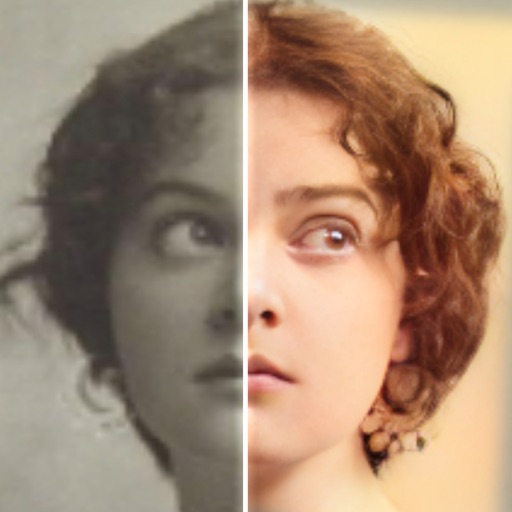
Edit photos with AI colorization, enhancement, and restoration. Remove scratches, tears, and blurs. Convert black and white images to high-definition . Adjust clarity and brightness. Share restored photos directly.
Create collages, stories, and posts from photos with 1000+ layouts and themed templates. Remix up to 20 images with editing tools. Apply filters, remove backgrounds, and add cutouts. Share directly to social media or save as files.
Post photos and videos without cropping for Instagram. Add blur backgrounds automatically. Resize, rotate, and zoom content within the square. Apply effects, filters, stickers, and text. Select no layouts. Support 1080P video. Save in high quality.
Edit videos by splitting them into segments and adding transitions. Create stories with customizable timelines. Export final edits in various formats and share directly.
Edit photos and videos to post full size content to Instagram and other platforms without cropping. Add audio, effects, frames, text, stickers, and overlays. Trim, rotate, scale, and flip media.
Set up the to take multiple photos automatically. Choose poses and angles. Capture high-quality images with professional lighting and composition. Edit photos directly within the . Share finished images to social media platforms.
The app offers numerous standard layouts and artistic filters, including B&W and vintage effects. Users can adjust exposure, contrast, saturation, and white balance for their photos.
Resize and crop images with precise aspect ratio control. Batch process multiple files for efficiency. Export in various sizes including @2x and @3x. Edit metadata and prepare images for social media or professional design use.
Split large rectangular photos or panoramas into square images for . Upload individual tiles and watch them combine into a single image. Adjust scaling options for detailed viewing. Share high-quality images without resizing.
Create videos by merging Live Photos, stills, and videos. Add titles, music, and customize pre-made "On This Day" projects. Automatically import Live Photos and panoramas. Share in five aspect ratios. View suggested projects based on recent photos.
Create collages by combining multiple photos into one with customizable layouts. Apply one-touch filters for instant effects. Add text, letters, and stickers to photos. Export and share finished collages directly.
Convert rectangular videos to square format for Instagram. Post full videos without square cropping. Create custom wallpapers for iPhone lock screen based on device model and clock position.
Create and customize grids on images for drawing and painting. Place grids over photos to use as reference. Adjust size and spacing. Export layers for use in digital art tools.