Allows users to perform eye-tracking training on an iPad without calibration. Follow on-screen instructions to position the device correctly. Select training exercises based on developmental stages to target appropriate skills.
by Ichiro Iimura★ 0.00 ratingsEducationFreeData updated 2026-09-06
Access training modules, download printable guides, and track progress toward personal and professional goals. Set reminders for practice exercises, connect with a community of learners, and receive weekly coaching tips.
The app offers brain training using the Schulte Table method to enhance attention, focus, and reading speed. It presents numbers 1-25 in order for users to find as quickly as possible, improving visual perception and concentration.
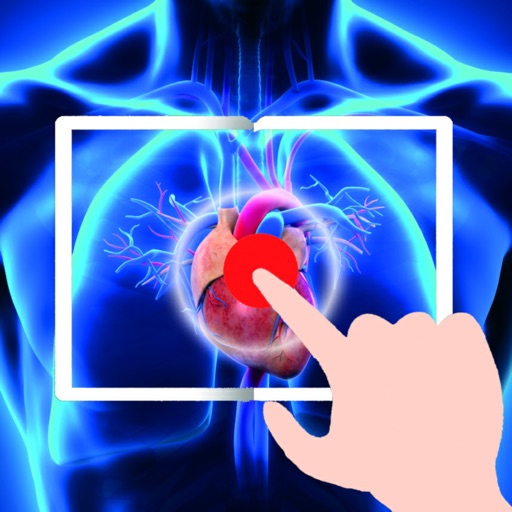
View illustrated human body diagrams and activate video content by making eye contact with red dots. Tap to play educational clips about anatomy and physiology. Access videos from Shutterstock and audio from YouTube Audio Library.
Interactive stories with narration and gentle animations. Follow along with text, tap to turn pages, and repeat stories for practice. Explore a library of age-appropriate books. Adjust reading level and track progress over time.
Train your mind with guided meditations and exercises. Set goals for focus and emotional balance. Track progress over time. Access premium content to improve clarity and performance.
Smartphone movements to simulate ultrasound probe actions. Adjust imaging parameters and view real-time scans on a connected device. Save and review scan sessions for analysis and training.
The app provides interactive simulators for VOR and ILS navigation. It offers step-by-step training modules and realistic exercises designed by certified flight instructors.
Kids Academy Co apps: Preschool & Kindergarten Learning Kids Games, Educational Books, Free Songs
Sort and classify by shape color.
The app features 12 mini-game boards for sorting and classifying objects. It helps develop skills in sorting, hand-eye coordination, concentration, visual perception, and vocabulary.
The app simulates infant vision based on age, showing visual clarity, color, and contrast. Users can create profiles, compare adult and baby vision, save photos, and access an educational library on child eye health.
Teaches shape recognition through interactive games. Children select geometric shapes to build , hear shape names, and follow instructions to assemble specific .
Caregivers can select age-appropriate activities for child development, tailored to available materials and learning goals. The includes parenting tips and wellbeing guidance.
Help users train by following moving objects with their eyes. Adjust object speed, size, and background color. Modify stage size for different exercises. Focus on improving eye muscle control and coordination.
Allows users to ask questions about through an AI-based assistant. It provides detailed explanations and guidance. Users can access flight data, weather information, and regulations. The includes interactive simulations for training and practice.
Offer peer support training materials, test preparation resources, and information on connecting to state-approved programs. Track progress through interactive content and assessments. Access guidelines for becoming a certified peer supporter.
The app works with a patient simulator to help healthcare professionals practice assessment and decision-making skills. Users can control physiological changes and program scenarios for realistic training without patient risk.
Explore age-appropriate stories, games, and music to support early learning. Engage with interactive content tailored for cognitive, emotional, language, and motor skill development.
The app provides a new way to access syllables, sounds, and words. It allows beginner readers to expand their reading skills in a playful and age-appropriate manner.
Provides command line interface reference for systems. Includes commonly used , their syntax, and usage instructions. Allows users to search for specific and view detailed explanations.