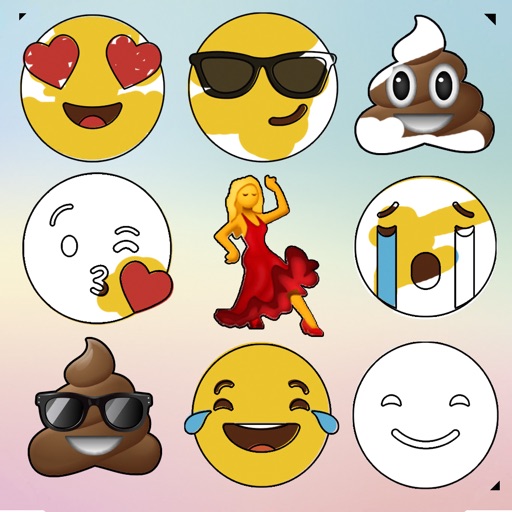
Draw on a customizable whiteboard with 60 background and brush color options. Select from 4 brush sizes. Save or share drawings. Use random mode to change brush size or color automatically. Access 20 levels of undo.
Read from web pages and adjust speed between 0.1 and 2.0. Copy from web pages. Save as a txt file. Share with other apps. Enable via Safari Extensions preferences.
Control media playback on Mac or Windows PCs via WiFi. Adjust volume, skip tracks, and pause playback. Supports , YouTube, Hulu, Vimeo, and iTunes. Requires computer and installation. No physical needed.
The app allows users to play chess, analyze games, and solve exercises. It includes features for online play, game annotation with comments, and a stable connection to the FICS server.
Collaborate on an infinite canvas with freeform whiteboarding and structured cards. Track tasks with kanban boards and calendars. Conduct video calls during standups and planning. Share and edit content in real time across devices.
Watch social videos from shared links in without downloading apps. Remove tracking details to view content privately. Clean video and profile pages for focused viewing. Share videos directly from the browser.
Access contacts and initiate calls or messages directly from the lock screen or home screen. Customize widgets to open URLs or run shortcuts. Enable call without confirmation in settings. Supports FaceTime, email, messaging apps, and more.
Allows children to draw using color selection, shape tools, and an eraser. It plays when drawing and includes a random color option. Users can change line thickness and save drawings.
A opens a pre-configured website and hides the status bar. Users can configure top and bottom screen edges. Swipe gestures navigate back and forward. No navigation bar enables immersive browsing.
Add to the for quick access. Tap to initiate calls, messages, or chats via Facetime, Phone, Messages, WhatsApp, Telegram, or Signal. Launch supported apps directly from the .
The app syncs handwritten notes, sketches, and diagrams from a Livescribe 3 or Aegir smartpen to an iPhone or iPad. Users can organize, tag, and convert notes to text for tasks, reminders, and events.
Create custom stickers using augmented reality features. Share stickers across multiple messaging apps including iMessage, WhatsApp, and Facebook Messenger. Apply stickers in real-world settings via AR.
Scan documents, business cards, notes, receipts, and more as high-quality JPG or PDF. Save files to your device or share via email, messaging, or cloud services. Edit scanned content with cropping, brightness, and contrast adjustments.
Recognize URLs from text using AI. Open recognized URLs in a browser. Share URLs via QR code generation. Copy URLs to clipboard. Create and share QR codes for any URL.
The app allows users to access Vectorworks documents on a mobile device. Changes made to files are synchronized to a private cloud library, enabling users to browse and share designs from any web-enabled device.
Users can join AI-assisted group chats and private conversations. They can interact with AI in real time, co-create content using AI templates, and explore ideas collaboratively.