Apps Like QuickFix: AI Keyboard for iPhone and iPad
Edit text with AI buttons and
AI enhances text by applying pre-trained AI buttons for grammar, style, and clarity. Users can edit text directly within apps, switch to the , and tap AI buttons for suggestions.
by Ruslan Vinahradau★ 4.97 ratingsProductivityFreeData updated 2026-09-06
Customize text with a wide selection of and symbols. Add special characters and emojis to messages and social posts. Choose from colorful themes to enhance typing experience. Share styled text across social platforms and messaging apps.
Write documents with a typewriter-style interface featuring sound effects and a delete key. Edit text, format paragraphs, and save files. Email, print, or share documents directly from the .
Save your last for quick access. Launch instantly without installation. Use fast touch pad and keyboard for navigation. Features a clean, user-friendly interface for easy .
The app provides the complete Mkhedruli alphabet with smart word suggestions and multiple layouts. It offers precise cursor control and context-aware intelligence for a native typing experience.
Manage models RM-D1000, RM-627C, RC3000E02, RM-L1030, and others. Access saved devices for quick use. via fast touch pad and keyboard. View models with a clean interface. Contact support for troubleshooting.
Activate the AI to type across all apps. Use predictive text, customize layouts, and access shortcuts. Edit messages, insert emojis, and adjust settings for personalized typing experience.
Predict text as you type with real-time suggestions. Correct spelling and grammar automatically. Switch between languages effortlessly. Customize layout and themes. Share copied text via voice or image.
Customize with 15+ options and personal photos. Choose from 100+ fonts and designer styles. Use advanced auto-correct and suggestions. Access emoji, emoji art, and custom layouts. Manage privacy by restricting chat access.
Type emojis, symbols, and emotions directly without copy-pasting. Switch between 108 fonts for different styles. Use text arts and stickers with single-click access. Customize themes for personalized appearance.
Access and control your AI assistant through a dedicated for emails, messages, and apps. Use the built-in AI for conversations and complex tasks. Manage AI interactions and settings within the .
Smart On- Tools allow instant text refinement and translation. Grammar correction and text prediction are available during typing. Translate text between languages directly on the . Refine and rewrite text with AI suggestions.
Allows users to type in English and receive word suggestions using transliteration. It offers word prediction for both and English. A language switch key toggles between and English. An emoji button is accessible after pressing the 123 key.
Allows typing in using English letters with transliteration. It offers word predictions for faster input. Users can switch between languages with a language key. Word predictions and spell-check are available in English.
Translate text and photos in real time using AI-powered interface. Choose from multiple AI assistants for conversation . Supports text, image, and voice input for accurate language conversion. Share translated content directly.
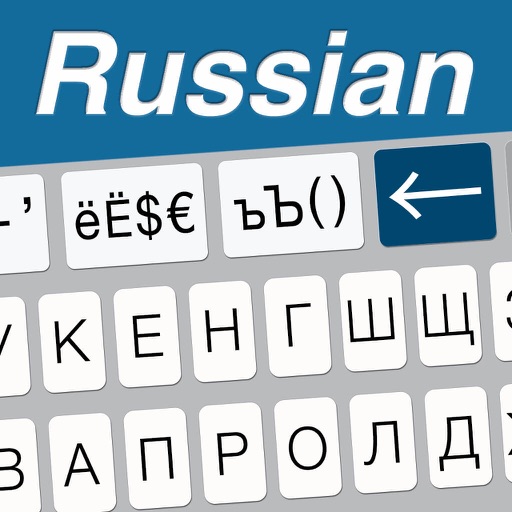
The app provides extended keys for the Russian keyboard, including arrow keys for caret movement and dedicated keys for extended characters. It also features Russian word prediction and auto-determination of marks.
Allows users to save and reuse templates for common text entries. Templates include fast replies, form fields, addresses, phone numbers, and email addresses. Users can access saved texts with one tap and them instantly.
Type with AI-powered suggestions for faster messaging. Use custom stickers and emojis to personalize communication. Set privacy controls for message encryption. Create and edit with AI-generated responses for messages, resumes, and emails.