Allows users to calculate distance and area using GPS. Tap to start and stop tracking automatically as you move. Manually input points to specific areas. Save and share measurement data.
by Alec Downing★ 4.117 ratingsUtilitiesFreeData updated 2026-09-06
Track speed with a graphical dashboard and analog/numeric display. View current location, weather, and temperature in Celsius or Fahrenheit. Switch between kilometer and mile units. Customize dashboard colors and use an analog compass.
Track , distance, and location using GPS. Display in analog and digital formats. Monitor time and vehicle velocity. View current location and record trip data.
The app measures the elevation of locations within a 500-meter radius using device sensors and internet-based geo information. It calculates altitudes in real time and displays them in meter or feet.
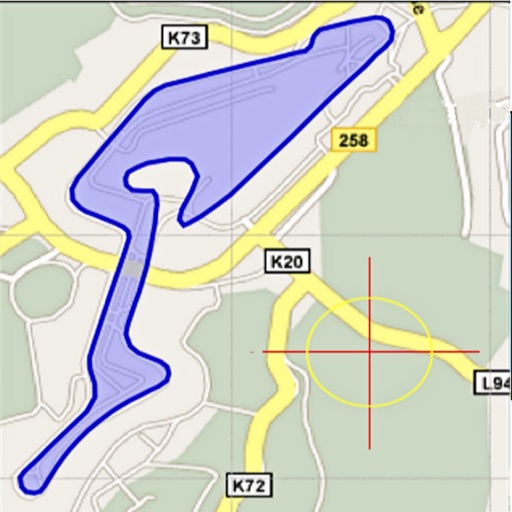
Area, lengths, and angles on maps using an interactive crosshair. Trace outlines to create connected points, updating area and perimeter in real time. Adjust radius for scaling features. View dynamic length and angle as you move the crosshair.
Objects using an augmented reality camera interface. Select units like inches, feet, centimeters, or meters. Capture and save measurements. Share results via email or messaging. Sync measurements across devices.
Create precise measurements from phone scans or blueprint uploads. Perform takeoffs for roofing, siding, and interiors. Generate estimates and proposals. Track project progress visually. Connect project steps from initial contact to final contract.
Distances on maps by tapping to add route points. Calculate length of roads, buildings, or areas. Get accurate calculations without needing existing routes or ground features.
Measure objects using AR by aiming your camera and dragging a virtual ruler. Calculate height, width, length, and area. View real-time measurements and save results for later reference.
Object dimensions using phone and reference objects like credit cards or DVDs. Snap photos for accurate in-plane measurements. Add custom reference objects with known sizes. Export measurement data for later review.
The app provides AR ruler functionality for measuring length, width, and height. It calculates area and distances between points, and users can save measurements and customize ruler designs.
The app transforms a device into a construction calculator for feet, inches, and fractions. It performs calculations and conversions for various measurement units, including a triangle function for rise, run, diagonal, and pitch.
Measure distances and areas with precise tools. Use the ruler and square area functions. Change units of measurement. Save measurements for later. Access tips and advice. Remove ads with a subscription. Measure height with the professional package.
Measure acceleration, orientation, and motion with built-in sensors. Record and analyze real-time data for experiments. Detect and generate sound tones. Visualize audio waveforms. Export measurements and graphs for scientific use.
Calculate volume for slabs, footings, columns, walls, and stairs in cubic yards, feet, or meters. Estimate needed, determine weight and bag requirements. Calculate rebar spacing and truckloads.