

Apps Like WeekPeek for iPhone and iPad
View week number and plan ahead
Displays the current week number in the menu bar for quick reference. Clicking opens a drop-down calendar showing weekly dates and highlights week numbers. Users can navigate to specific weeks directly.
WeekPeek screenshots
Ranked alternatives
Showing 221–240 of 1,000 ranked alternatives.

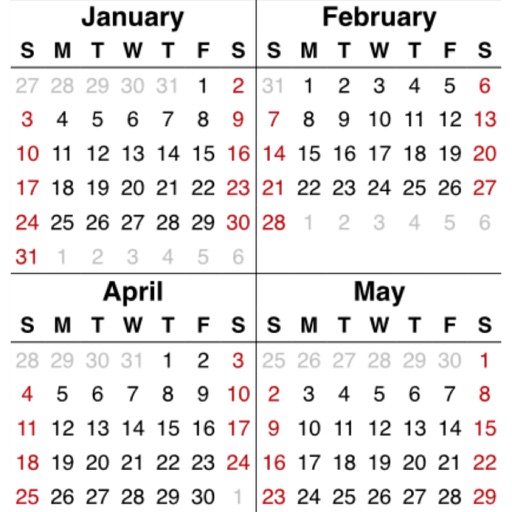
YearViewer
Gerard Putter
Calendar overview for any year.
The app displays a calendar overview for any selected year. Users can zoom using pinch gestures and select any year using the time machine button.

Habit & Goal Tracker – GoalKit
Lukas Lauerer
Track goals, create plans, stay on task
Create and track goals with four types: checklist, milestone, progress, and . Set deadlines, monitor completion, and receive reminders. Sync across devices and view progress over time.

LifeOn
KyuHo Nam
Calendar and reminders at a glance.
The app displays daily schedules in a circular format for easy viewing. It supports multiple calendar views, themes, and synchronization with iOS calendars and reminders.

SchoolRoom
Matthias Arndt
Create timetables with custom periods and days
Create and manage multiple school timetables with customizable start and end days. Display lesson times as row headers or time slots. Include notes and tasks per subject with optional reminders. Share timetables as graphics or export as PDF files.


Class Planner (cloud)
Glen Botha
Sync notes across devices and access data
Enables teachers to create and manage lesson plans with standards, notes, homework, and web resources. It supports weekly, biweekly, or six-day schedules. Data is stored in the cloud and syncs across devices like phones, iPads, and MacBooks.
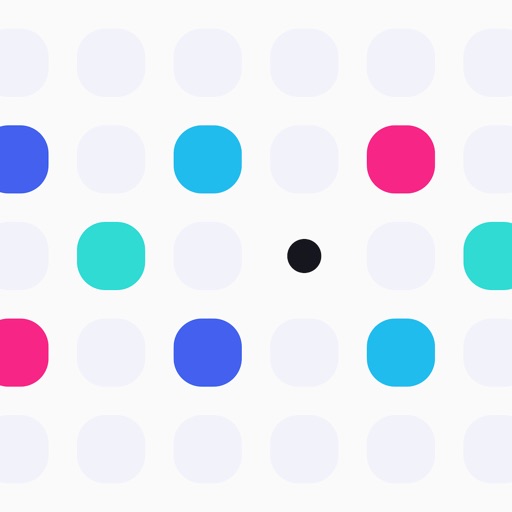
Every Year Calendar
Parker Ehret
Track birthdays, anniversaries, and holidays
Track birthdays, anniversaries, holidays, and custom events in one . Set countdowns for upcoming events. Receive notifications on the day, one day before, one week before, or one month before. Customize notification times.


Easy Note 2
Ernest Thomason
Organize notes and track tasks
Organize notes in folders and add pictures. Check items as complete with due dates and reminders. Search notes and filter by tags or calendar dates. Sync across iOS devices and view notes on web. Share folders with others and use journal mode.

Bitcoin Taskbar
Myco Labs LLC
See Bitcoin exchange rates quickly.
The app displays Bitcoin exchange rates in the Mac menu bar. It shows current Bitcoin selling prices for various currency pairs and exchanges, supporting US Dollars, Great British Pounds, Euros, and more.


Calendar, Notes & To-Do list
PLANNING TECHNOLOGIES LLC
Schedule tasks, track time, manage events
Plan daily tasks, set reminders, and manage events with a customizable calendar. Sync across devices and access key features via a customizable bottom navigation bar. Track personal and work goals with a visual timeline and schedule.


Strongweek
Andrew Roan
Categorize tasks and set reminders
Organize tasks into time-based categories like "tomorrow," "this week," or "next year." Set reminders and prioritize actions by time frame. Sync with iCloud and optional iOS Reminders for backup and data transfer.


Bliss: Meditation Courses
Bliss Timer LLC
Meditate, breathe, and reflect
Meditate using Yogic techniques to improve focus and emotional balance. Follow a 4-week wellness program with guided sessions, yoga exercises, and habit-building tools. Access instructor-led classes for and physical practice.

StopWatch
John Haas
Timing made simple and accessible.
The app provides a menu bar stopwatch and timer. It saves time when quit and displays laps with splits and totals.

SeeDo Visual Reminder
David Barta
Set reminders with photos and quick picks
Create reminders by tapping on pre-set options like "1 week" to set recurrence. Attach images to tasks and view them directly in the . Manage household, garden, and car-related tasks with quick, image-based reminders.
How we rank alternatives
Apps are ranked by functional similarity, category fit, rating confidence, and popularity.