Manage tasks with to-do lists, reminders, and calendar integration. Set priorities and deadlines. Sync across devices and share lists with team members. Track progress and mark items as complete.
by Avraz Ibrahim★ 0.00 ratingsProductivityFreeData updated 2026-09-06
Access board documents, schedule meetings, and manage agendas. Share files securely, vote on proposals, and track action items. Collaborate in real-time with team members and stakeholders. Receive notifications and set reminders for deadlines.
Create and manage schedules with alternating week functionality. Set up multiple templates and switch between them. Track tasks with deadlines and priority levels. Receive real-time updates on classes and activities through group notifications.
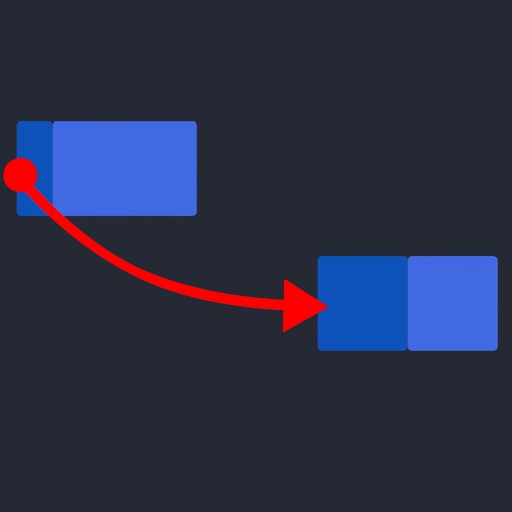
Manage tasks with gesture-based actions: pull down to create, right swipe to mark complete, left swipe to delete, and drag-and-drop to reorder. Pin important items for quick access.
The app allows users to register, receive event notifications, and view event details including speaker information. Users can save events to their schedule, request email reminders, and access presentation materials like documents and videos.
Manage schedules and shift preferences with real-time updates. Track work hours and receive notifications for assignments. Communicate with team members and access care documentation.
Manage private, team, and group conversations in one platform. Send messages, files, and links. Schedule and join calls. Access shared calendars and task lists. Set up custom channels and permissions.
Send messages to yourself with timestamps and location data. Create to-do lists and set reminders. Track daily habits and journal thoughts. Sync across devices and search past entries by keyword.
Organize construction tasks for teams effectively.
The app manages construction quality control tasks and punch lists. It allows users to view and update task details, add photos, and track comment history for effective site time management.
Access workflow tasks and forms from a single interface. Manage tasks directly within the . Sync task lists across devices. View and complete workflow actions on the go. Stay updated with real-time task information.
Manage project timelines and task assignments. Track progress with customizable dashboards. Collaborate in real-time with team members. Generate reports and share updates. Set deadlines and receive notifications.
Personalized reminders notify users of pending tasks and deadlines. Users can manage assignments, track progress, and set goals. The helps organize study schedules and prepare for exams.
Track contributions and expenses with detailed records and transparency. Manage events and deadlines by creating, organizing, and updating them. Collaborate on projects with team members, assign tasks, and monitor progress in real time.
Track attendance with IN/OUT/BREAK logging and absence recording. Monitor project time with start/end tracking and duration calculation. Manage tasks with to-do lists and checklists. Sync with calendars for team scheduling.
Plan daily tasks by selecting up to five important activities for the next day. Review and prioritize tasks each evening. Set reminders and track completion progress. Sync across devices for consistent planning.
View business stats, track tasks, manage pipelines
Monitor business statistics and track pipeline performance. View current and past due tasks and mark them as complete. Receive notifications for new messages and communicate via SMS or email. Manage opportunity cards across pipelines.
Allows users to document projects with photos, , contacts, reminders, and tasks. Organize materials by . Store data locally for quick access. Create and manage tasks. Add contacts and set reminders. Edit and view .
Track daily and recurring tasks, manage routes and checklists, monitor fuel usage and costs. Organize inventory, contacts, and documents. Maintain guest and crew lists. Set reminders for repairs and maintenance.
Manage tasks with list-based organization, including onetime and repeating items. Assign categories and tags, add subtasks and attachments. Track time for tasks and subtasks. View tasks and events in calendar and today views. Receive in- alerts.
Track costs and timelines. Identify critical tasks and dependencies. Log time spent on activities. Set milestones and deadlines. View progress reports and adjust schedules. Sync with team members and export data.