Apps Like Sharingan Eye Camera - Ninja for iPhone and iPad
Edit photos with anime eye effects
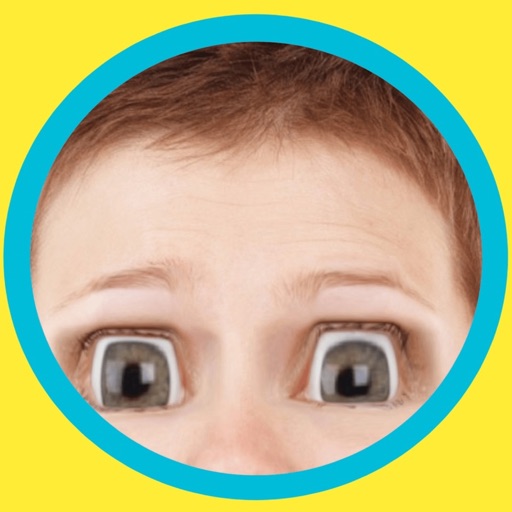
Edit photos by applying lenses and eye effects. Choose from various eye types and colors. Add red circles for a hypnotic effect. Drag and adjust lenses for custom placement. Share edited photos directly.
by Achraf Fahim★ 4.5852 ratingsPhoto & VideoFreeData updated 2026-09-06
Edit photos with filters, beauty tools, and artistic effects. Adjust skin tone, eyes, and lighting. Add stickers, text, and frames. Export in multiple formats and share directly. Sync with mobile edition for consistent editing experience.
Use AR to sketch and paint on paper. Select images from the built-in gallery. Position paper on a flat surface for accurate drawing. Draw over projected images with precision. Save and share artwork directly.
Turn your iPhone or iPad into a kaleidoscope camera. Capture images with dynamic, shifting patterns. Adjust color and brightness settings. Share photos directly from the .
Use AI to capture long exposure photos. Remove crowds, create light trails, and enhance waterfalls. Adjust exposure settings automatically. Preview and edit images with advanced tools. Share final photos directly.
Use the to project real-time grids and guidelines for precise . Adjust grid size, opacity, and angle. Import sketches or paintings for reference. Save and export artwork in various formats. Sync drawings across devices.
Store photos and videos in a secure with encryption. Access using Face ID or Touch ID. Hide media from unauthorized access. Set passwords for added security. Manage and delete stored files.
HC MAKER - PHOTO LOGO BACKGROUND EDITOR APPS FOR FREE
Customize phone with wallpapers
Apply and manga wallpapers to customize iPhone appearance. Choose from 4K and HD quality images. Browse categories including classic franchises. Set as home screen or lock screen. Share wallpapers with others.
Change eye appearance in photos and videos using face detection. Apply funny eye effects like big, sleepy, or cartoon styles. Choose from makeup options including liners and shadows. Select animal or Halloween-themed eye transformations.
Fry the last frame of videos to upload to TikTok. Edit memes by frying images or GIFs from the photo library or Gfycat. Share finished memes to camera roll or via iMessage as stickers. Open created memes in TikTok and Snapchat.
Create animated videos with keyframe control for size, position, and rotation. Use 3D camera tracking and blur tools. Apply 500+ effects and presets. Build 3D scenes and edit multi-layer videos with custom curves. Export final animations for sharing.
Edit photos with AI-powered tools for object removal, people elimination, blemish correction, and background editing. Adjust colors, brightness, and contrast. Add text and filters. Export and share edited images directly.
Edit videos with trimming, splitting, and merging tools. Add transitions, text, and background music. Apply filters and effects using AI-powered enhancements. Export in various formats and share directly.
Identifies and removes duplicate and similar photos to free up storage space. It scans photos, videos, and contacts directly on the device. Users can delete unnecessary files and organize their media library.