Add stickers to messages by tapping or dragging them into the thread. Place stickers on photos, other stickers, or anywhere in the message. Features include cute characters for friendly communication and otaku pop culture elements.
by kupaberu★ 5.01 ratingsStickersFreeData updated 2026-09-06
Send holiday-themed stickers featuring festive characters like Elf Ball, Candy Cane Pin, and Snowman Ball. Include bowling pins in holiday costumes. Add stickers to messages. Share custom combinations of emojis and stickers.
Send animated stickers in iMessage with 116 high-resolution options. Include 40 free stickers; purchase for full access. Add expressions to conversations with cute, customizable animations.
Use to add visuals to messages. Tap to insert into message field or drag to position on a bubble. Access a collection of themed for casual communication.
Send wishes with customizable stickers for 5, 10, 15, and other milestone years. Add stickers to messages by tapping or dragging them into the thread. Share personalized messages with loved ones to express care and affection.
Send and receive animated stickers in iMessage. Choose from 72 unique high-quality animations. Include 24 free stickers. Purchase to unlock the full set. Add expressions to conversations with cute characters.
Add to messages by tapping. Place on top of message bubbles or photos by tapping and holding. Layer in conversations. Scale and rotate using a second finger before placement.
Use animated stickers to respond to messages or photos. Select from 21 conversational designs for reactions, emotions, and situations. Place stickers by pressing and holding on messages or images.
Add humor to iMessages with customizable stickers featuring T Rex and other . Place stickers anywhere in conversations. Share and receive stickers within the iMessage .
Send stickers directly to messages by holding a sticker in the drawer until it appears. Choose from a variety of expressive characters and themes. Add new sticker packs in the future for expanded communication options.
Add stickers from the "Liar!" to iMessage chats. Select stickers from a library featuring characters from the . Send stickers directly or place them anywhere in the chat by tapping and holding.
Attach a cute to messages. Choose from various styles. Add text or emojis to stickers. Share stickers with contacts. Save favorite stickers for quick access.
Use stickers featuring Japanese characters from the " " game. Search for " " in the Store. Add stickers to messages. Customize packs. Share stickers with contacts.
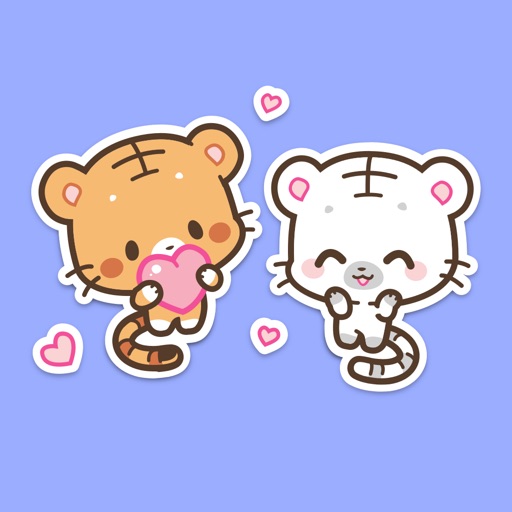
Use stickers to add messages in iMessage. Select and place stickers in message fields or drag them onto message bubbles. Includes 20+ original and Tiger designs.
Send and reply to messages using 74 unique stickers. Customize conversations with -themed images. Share stickers across iMessage and other compatible apps.