Use camera to magnify objects. Switch between front and back cameras for mode with light bars. Tap to freeze image and adjust brightness and contrast. Pinch to zoom, rotate, and pan. Save final image to Photos.
Share images via Twitter, Facebook, Messages, Mail,
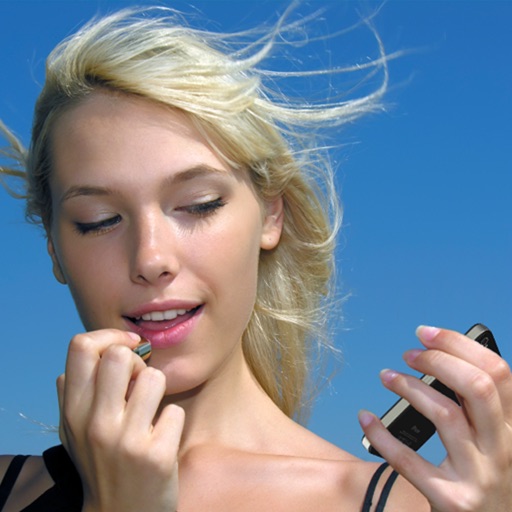
Provides a portable alternative to a physical with zoom and night mode features. Users can apply makeup, check teeth, and take selfies. Images can be shared via Twitter, Facebook, Messages, Mail, and AirDrop.
Allows users to view their reflection using the front camera. They can freeze the image for closer inspection, pinch to zoom in on details, flip the image to see themselves as others do. Users can save photos taken through the .
Apply blur effects like Gaussian, motion, and tilt-shift. Adjust blur intensity for desired results. Edit photos with tools to enhance clarity and composition. Save and share edited images directly.
Use the front camera as a pocket mirror with digital zoom. Adjust brightness with Night Mode. Apply makeup and style hair using the camera. Take close-up views of small details.
With filters, cropping, and adjustment tools. Apply beauty enhancements and double exposure effects. Use color splash and resize images. Access frames and story templates. Change resolution and export in multiple formats.
Edit photos with AI filters, style transformations, and Nano Banana trend effects. Restore old photos by enhancing details and repairing scratches and fading. Create videos with AI tools, turn images into anime, game avatars, or action figures.
Allows users to zoom in and use night mode for detailed self-viewing. It tracks facial movements to keep the user centered. Users can blur or whiten specific areas of the screen.
Choose a photo from your camera roll or take a new one, then apply effects automatically. Select from various styles, adjust positioning, zoom, and customize edits. Save and share the final .
Take photos and videos with 9 customizable effects including smile enhancement, face stretching, and character transformations. Adjust effects on-screen. Share images and videos via email, Twitter, or Facebook.
Capture photos and videos with manual controls, exposure adjustment, and focus customization. Import and organize media from iOS photo library. Edit images with filters, cropping, and brightness adjustments. Share directly to social media or email.
Edit photos with skin smoothing, teeth whitening, and facial reshaping tools. Remove blemishes and wrinkles. Add makeup, tattoos, and muscles. Apply filters and adjust colors. Save and share edited images directly.
Photos by flipping horizontally or vertically. Create reflections and repeating patterns. Apply effects and frames. Design collages with multiple layouts. Export and share edited images.
Create reflection effects with left-right, up-down, or repeat options. Apply effects and designer frames to enhanced images. Select from gallery or capture new photos for editing. Export and share edited images.
Check your makeup, hair, and teeth with functionality. Adjust the color and brightness of the built-in . Take photos or record videos. No ads and free to use. Share feedback through the contact option in settings.
The iPhone for self-viewing with 4x zoom and horizontal slide zoom. Adjust brightness and toggle night mode for dark environments. Check hairstyles and switch to white design or change icons.
Use the HD front camera as a clear . Zoom in for detailed makeup application. Flip the screen, adjust zoom, and share the view. No additional hardware required.
Edit photos with filters, cropping, and adjustments. Add text, stickers, and frames. Create collages by combining multiple images. Share directly to social media. Apply effects and choose from various fonts and stickers.
Edit photos with filters, cropping, and brightness adjustments. Add text, stickers, and frames. Create collages and enhance images for social sharing. Trim and cut videos. Export in multiple formats and share directly.