Apps Like Magic Eraser -Remove Any Thing for iPhone and iPad
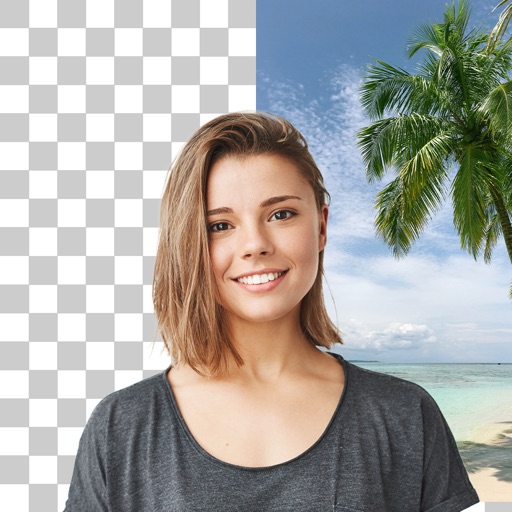
Remove background with one tap
Remove backgrounds and unwanted objects from photos and videos using AI. Tap to remove backgrounds, swipe to erase objects. Edit media quickly with precision. Export edited content directly.
by Polymath Company Limited★ 4.428 ratingsGraphics & DesignFreeData updated 2026-09-06
AI improves quality, fixes lighting, and sharpens details. AI Unblur converts pixelated or blurry images into clear high-resolution photos. Users can upload photos and apply AI-powered enhancements to restore old memories or refine portraits.
Remove backgrounds from images and create transparent or colorful alternatives. Edit colors, apply filters, add borders, and include text. Save edited photos as high-quality PNG or JPEG files.
Videos by selecting backgrounds, trimming clips, and adding kids characters. Overlay text and use green screen to remove backgrounds. Apply keyframes and animations for custom effects. Export and share finished videos.
Enhance photos with AI-based clarity and detail. Remove blur and improve lighting. Edit vintage photos for modern clarity. Share enhanced images directly. Apply filters and adjust colors. Export in high-definition formats.
Edit videos by adjusting playback speed with a sliding dial. Choose from your library or record new footage. Trim unwanted sections. Export videos for sharing on Instagram. Unlock Pro version for advanced speed controls and reverse playback.
Remove unwanted objects and people from photos with a few taps. Edit skin imions and blemishes for a smooth, natural look. Use AI-powered tools to enhance images without internet access.
Backgrounds with a single touch. Replace backgrounds with any image. Apply blur to create a depth effect. Adjust clarity for better visibility. Export edited images directly.
Edit photos with cropping, filters, and adjustments. Remove unwanted objects or people using the Magic tool. Replace backgrounds to create montages. Create collages with pre-designed templates. Export edited photos in multiple formats.
Edit photos by removing backgrounds with mode, object extraction, and quick select tools. Use transparent backgrounds for stamps and collages. Share edited images directly with other apps.
Remove red eyes from photos automatically using computer vision. Detect and eliminate red color from eyes in seconds. No manual editing required. Share edited photos directly.
Remove from photos by selecting areas to erase or using color selection. Add custom backgrounds. Undo or reset edits. Import photos from phone or take new shots with the built-in camera.
Remove background and retain clear vocals using AI vocal extraction. Eliminate wind, music, and traffic sounds. Trim audio or video clips directly. Enhance stereo sound for a more natural listening experience.