Track daily routines with customizable emojis and step-by-step guidance. Set personal preferences and monitor completed tasks. Sync with daily activities to maintain consistency in habit formation.
by Alihan Can Demirel★ 4.024 ratingsUtilitiesFreeData updated 2026-09-06
Manage tasks with AI-generated subtasks and Pomodoro timers. Set reminders and track progress. Prioritize items and organize projects into folders. Sync across devices and receive notifications for upcoming deadlines.
Nd scan QR codes to share text, URLs, and contact information. Create barcodes for product tracking. Save and organize codes in a gallery. Share codes via email, messaging, or social media.
Organize tasks with step-by-step breakdowns and priority settings. Convert text to structured formats and summarize conversations. Estimate time for activities and set reminders. Track progress and receive alerts for upcoming tasks.
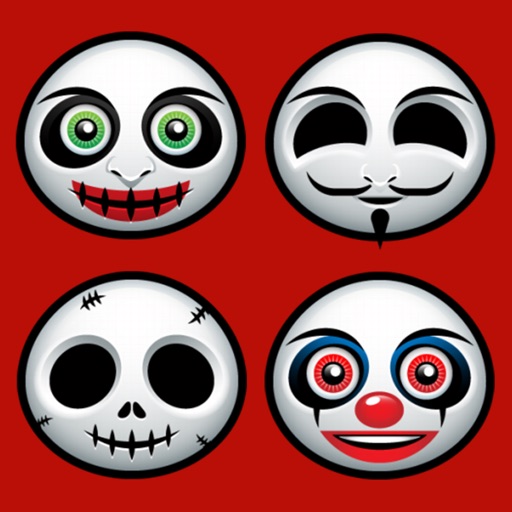
Send text messages with emojis and stickers sorted into categories like Common, , Halloween, Pumpkin, Skull, and Rage . Use them on platforms including Facebook, Twitter, WeChat, WhatsApp, Viber, and Kik.
Helps manage phone storage by identifying and removing duplicate photos. It offers daily cleaning tasks to maintain organization. Users can clean up similar images and free up space through automated processes.
Organize files on iPhone or iPad with intuitive browsing. Manage photos, videos, music, documents, and contacts. Transfer files between device and PC. Delete or move files easily. View details and organize folders.
Type text using flick gestures for navigation. Predict words during typing. Delete characters with a swipe motion. Customize layouts and themes. Sync with Apple devices for seamless input.
Create and manage unlimited lists, notes, and list items. Add voice-to-text input. Share lists or notes with others. Set reminders for tasks. Sort items alphabetically, by completion status, or use drag-and-drop.
Create and customize text with various fonts, symbols, and emojis. Add hearts and special characters to style names or signatures. Copy and share generated text with others.
Track tasks with customizable counters, set target counts, and choose colors and icons. View count results through charts and review historical data. Simplifies tallying by removing unnecessary features.
Create and manage a to-do with a daily task limit. Prioritize by selecting the most important ones. Mark as complete and review progress daily. Sync across devices.
Manage routines and organize daily tasks with customizable and deadlines. Set recurring tasks, track progress, and receive alerts. Sync across devices and integrate with calendars for seamless scheduling.
With customizable buttons featuring color selection, goal tracking, and or countdown modes. Set step sizes and create widgets for home screen access. Includes haptic and acoustic feedback with optional in- donations.
Offers a customizable widget that displays morning routines, work focus prompts, evening reflections, and motivational quotes on a set . Users can personalize the widget content, set rotation intervals, and manage reminders for daily tasks and notes.
Track time with a clean, intuitive to monitor focus sessions. Organize tasks and subtasks with customizable routines for specific days and times. View detailed reports to analyze time spent and progress over time.