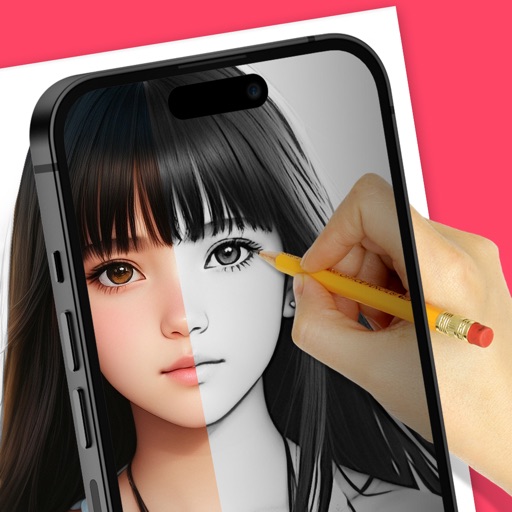
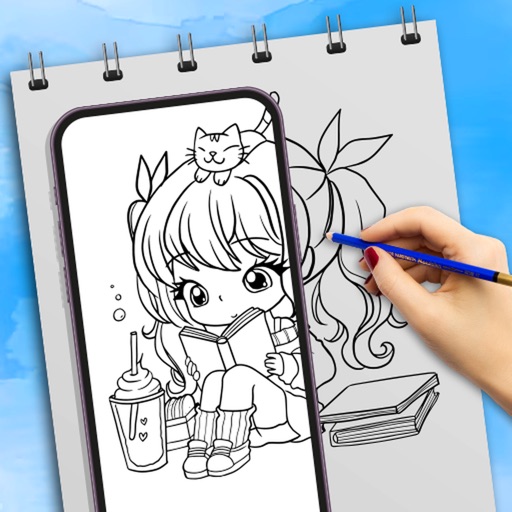
Trace images to create sketches or drawings. Adjust line thickness and brush styles. Use an eraser tool. Apply filters to images. Select from gallery or take new photos. Draw on paper with phone held 1 foot above.
Create art with 10 brushes. Adjust brush size and color randomly. Import photos to doodle on. Add drawings to family images for customization. Save and share completed artwork.
Sketching and apps offer tools for creating and editing artwork. Users can draw on a virtual canvas, access various brushes and colors, and save or share their creations.
Sketch and draw on a virtual with marker and eraser modes. Undo or redo actions. Choose from three tip sizes and three hardness levels. Select colors and adjust transparency. Clear the board with one click. Save or drawings directly.
360 COMPANY BILISIM TEKNOLOJILERI REKLAMCILIK MEDIKAL TURIZM SANAYI VE TICARET LTD STI
Draw with AR and AI to create
Draw on real-world surfaces using augmented reality. Trace and with AI-powered tools. Edit and refine drawings with color, brush size, and opacity controls. Share creations directly from the .
On photos or backgrounds with customizable stencils for shapes and patterns. Use over 1400 stamps to decorate artwork. Apply smudge tool for textured effects without touching the screen. Save and share completed drawings directly.
Create drawings with Apple Pencil support. Use grid or lined backgrounds. over existing images. Save square images. Add widgets to showcase drawings on the home screen. Enable multitasking and multi-window features on iPadOS.
The app allows users to create rapidly executed freehand drawings. These drawings can record observations, develop ideas, or demonstrate concepts for later use.
Use camera to draw and paint in augmented reality. Access tracing templates for animals, cars, nature, food, anime, and more. Adjust brush size and color. Save and share artwork directly.
Detailed artwork with customizable brushes and specialized toolsets for sketching, painting, and doodling. Access advanced AI features to enhance creative workflows. Export and share finished projects directly.
Create AI-generated images, avatars, and logos from text or photos. Edit photos with advanced tools. Redesign home interiors using AI. vatars from uploaded images. Transform ideas into visuals with AI-powered design features.
Learn to draw with step-by-step tutorials covering animals, cartoons, and flowers. Practice by tracing images or sketching freely. Save and share completed artwork.
Convert photos into 8-bit art using AI and manual drawing tools. Adjust colors, resize, and refine details. Export as image files or share directly. Create profile pictures, game assets, or digital art with customizable settings and editing options.
Allows users to project sketches onto surfaces using their phone's camera. Users can projected images onto paper, walls, or objects. The enables customization of drawing settings and provides real-time feedback during tracing.
Learn to characters using augmented reality guidance. Follow step-by-step tutorials to sketch facial features, body proportions, and expressions. Use AR overlays to visualize and refine your drawings in real time.
Objects in using finger gestures to draw and tag. Add text and comments in multiple colors. Use different line endpoints and angle tags. Include shape tags for precise markings. Save and share annotated images.