Calculate change for US currency transactions. Input amounts to determine correct denominations. Practice making change with customizable scenarios. Track progress and review mistakes for improvement.
by The Education of BT, LLC★ 4.916 ratingsEducationFreeData updated 2026-09-06
Allows users to perform complex calculations with a natural equation entry system. It supports split screen, wireless keyboards, and Apple Watch integration. The displays full equations in real time and offers dark mode for enhanced readability.
The app helps children learn addition by making 10 through engaging play. It offers different levels, from counting dots to making change for a dollar, with adjustable speeds for varied challenges.
Merge coins to create higher-value currency. Combine five 1 cent coins to make a 5 cent . Stack coins to upgrade to higher denominations like 10 cents, 50 cents, and $1. Five $1 coins turn into a $5 bill, which disappears.
Practice for the NCE with over 1900 questions and answers. Choose from multiple testing modes. Receive detailed analysis of performance. Review scientific explanations for correct answers. Track progress over time.
Skills through interactive conversations tailored for Pre-Intermediate to C1 learners. Engage in real-life dialogues, correct grammar mistakes, and track progress with detailed feedback.
Practice pronunciation with interactive sessions featuring pre-made articles or custom content. Record your voice, compare it to native speakers, and receive feedback. Track progress over time and set personalized goals for improvement.
Calculate missing sides of right-angled triangles using the Pythagorean theorem. Input two sides to find the third. Save calculations in a history. Share complete solutions. Support for entering fractions. Remove ads.
By rearranging scrambled words to form correct sentences and sayings. Practice grammar through beginner to expert levels. Improve language skills with interactive sentence building and vocabulary exercises.
Calculate intraocular lens power adjustments for ciliary sulcus placement. Input lens base power and shift distance to determine required power reduction. Provide visual reference for surgical planning and decision-making.
Biology Facts Quiz lets users practice facts with interactive quizzes. Questions increase in difficulty. Correct answers are highlighted for review. Users can adjust the difficulty level.
Track daily water, grain, and land savings from a vegan diet. Monitor CO2 reduction and animal lives spared. Provide facts on climate change, ocean dead zones, and deforestation linked to animal product consumption.
Calculate electrical values using . Input voltage, current, or resistance to find missing variables. Supports calculations for series and parallel circuits. Includes unit conversion for volts, amps, and ohms.
Practice spoken with AI-driven conversations tailored to individual skill levels. Receive real-time feedback on pronunciation and fluency. Engage in role-play scenarios to build confidence and improve conversational skills.
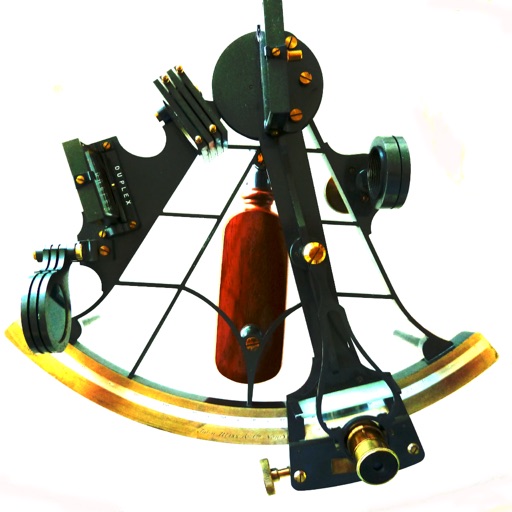
Calculate celestial navigation using the Law of Cosines method. Input Local Hour Angle, declination, and latitude to determine altitude and azimuth. Track calculations and review results for accuracy.
Prepare for the with practice questions on values, history, and English proficiency. Review topics from the official Discover Canada handbook. Take mock exams with timed questions. Track progress and review answers after each .
Solve problems with timed challenges for addition, subtraction, multiplication, and division. Track scores and earn bonus time for correct answers. Practice with adjustable difficulty levels and review progress.
Adjust audio playback speed between 25% and 200% without pitch change. Repeat sections of music at original speed. Change tuning or musical key. Save and share modified audio files.
Learn vocabulary, grammar, and verb with structured lessons and exercises. Practice patterns, review explanations, and track progress through interactive quizzes and progress reports.