Allows users to type in 30+ special English , 130 symbols, and over 30 emojis. Features a simple interface with no ads and a small installation size. Includes setup and usage tutorials for easy navigation.
Share text and emojis with one-click sending from preloaded phrases. Add custom content to the clipboard. Automatically send lyrics in segments or user-generated text. Supports unlimited additions and auto- functionality.
Create using photos of yourself or friends. AI automatically focuses and cuts out faces. Share across major chat and social media apps. Use built-in keyboard to send quickly. Access a large library of updated and memes.
Keyboard allows users to select from hundreds of keyboard skins and themes. Change background colors, add stickers, and customize key designs. Purchase additional themes through a subscription service. Sync settings across devices.
Amharic allows typing in Geez using a phonetic input method. Users can switch to the from any . It supports Amharic language input and offers a dedicated layout for typing in Geez.
Text and speech between 100+ languages with real-time voice input and one-click language switching. Calculate exchange rates, time differences, and unit conversions. Perform offline translations when available.
Translate text in real time within any application using the . Switch to translation mode by holding the switch button, insert text, and click translate to insert the translated result.
Use AI to generate ideas, rephrase text, and research topics directly within any . Chat with AI for advice, translate messages, and access writing tools. Customize keyboard settings and manage AI interactions through a dedicated interface.
Type using Myanmar keyboards including ZawGyi, MyanSan, Shan-Unicode, and ZawGyi-Tai. Access Khmer keyboard for Cambodian users. Use Smart Input for faster typing. Customize keyboard themes. Support all Apple devices.
Customize keyboard fonts for text messages, stories, post descriptions, and social media bios. Choose from various font styles to personalize profiles and messages. Share custom fonts with friends and access regular updates.
Allows users to perform calculations directly within compatible apps. Input equations using the . Dark Mode is supported. Full iPadOS compatibility is available. Customization options are provided.
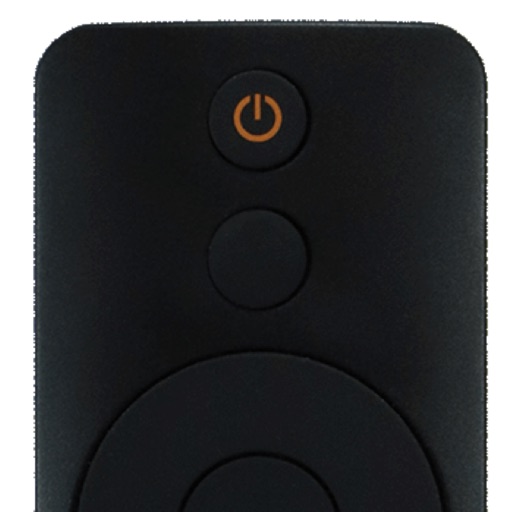
Control your smart TV remotely via smartphone or tablet. Adjust volume, change channels, and navigate menus using a virtual . Type with device keyboard for faster input. Use touchpad navigation for precise control.
Transform your device into a for Roku TV and streaming devices. Navigate channels, playback, and manage apps with a touchpad. Access favorite channels quickly. Launch streaming apps and switch inputs. Support private listening via headphones.