Apps Like SDWidget - Speed Dial Widget for iPhone and iPad
Tap to call, email, or message contacts
SD lets users launch phone calls, FaceTime, SMS, WhatsApp, and Telegram with a single tap on the home screen or lock screen. contacts are accessible for quick communication.
by Thach Nguyen Trong★ 0.00 ratingsUtilitiesFreeData updated 2026-09-06
Customize home screen layouts with dynamic widgets. Add digital and analog clocks, calendars, and photo widgets. Choose from multiple design options and personalize layouts to suit individual preferences.
Provides daily motivational and to support goal achievement. Users can listen to speeches from motivational figures like David Goggins and Kobe Bryant. Widgets display on the home screen and lock screen.
Track personal progress with categorized timers for events like birthdays and smoke-free . Set smart reminders before key dates. Use widgets on home and lock screens for quick access. Sync data across devices.
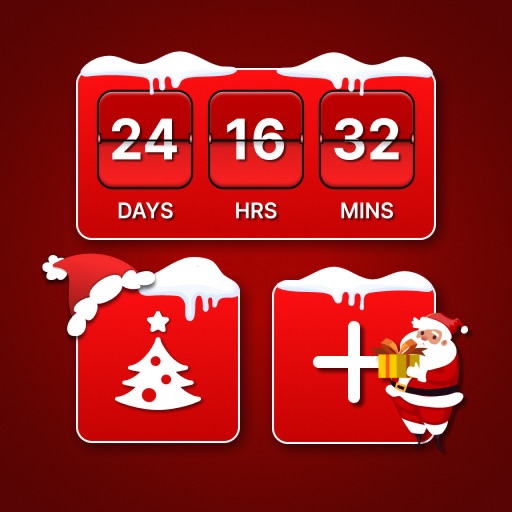
Countdown to with animated snowfall and festive backgrounds. Choose from Santa, reindeer, and tree themes. Play classic holiday music. Access an advent calendar to open gifts on 24th December. Upgrade for a to track remaining days until .
Track time with circular bars for daily, weekly, monthly, quarterly, and yearly goals. View via widgets on the home screen. Set and monitor time periods to manage tasks and achievements.
Up duplicate and large photos and videos. Remove expired calendar events and reminders. Delete duplicate contacts. Clear clipboard history. Compress images and videos. Hide photos and contacts in vaults. Detect and manage screen recordings.
Display tasks on Home or Lock Screen with a simple widget. Tap to mark tasks as completed. Add tasks manually and rearrange order in settings. No folders, tags, or notes included. Focus on daily completion without additional features.
Receive SMS verification codes and manage online registrations without using a personal phone number. Create and use virtual numbers for platforms like Tinder and WhatsApp. Send and receive messages through the virtual number.
Set a customizable on the home screen with various design options. Choose from different styles and layouts. Adjust time format and color settings. Place the in iOS14 home screen for easy access.
Edit text with customizable , emojis, and special styles like upside down or bubble letters. Apply to social media bios, captions, comments, and chats. Supports Instagram, Snapchat, TikTok, WhatsApp, Telegram, and iMessage.
View and manage short notes with quick writing, updating, and deletion. Display notes in widgets on home screens. Adjust size in widgets with premium access. Sync notes across devices using iCloud.
Add to WhatsApp or Telegram messages. Subscribe to follow other users for personalized content. Access animated and share emotions through playful visuals.
A digital with real- , timer, and countdown features. Displays customizable , date, battery level, and seconds. Offers adjustable text color and font. Includes desktop widgets for iOS 14 and on- alarm functionality.
Set focus intervals for or study. Place phone horizontally on a desk. Tap start to lock screen and disable phone use. Track progress and manage sessions.
Add color widgets to your home screen with designs. Choose from hundreds of pre-made options or create your own. Edit colors, themes, backgrounds, and add personal photos. Apply changes instantly for a personalized look.
Set daily with customizable categories like self care, personal growth, and work. Choose dark or light themes. Add widgets to home screens for quick access to motivational quotes.