

Apps Like Doke for iPhone and iPad
Doke screenshots
Ranked alternatives
Showing 261–280 of 1,000 ranked alternatives.

Rewind Camera video in reverse
志勇 马
Capture video in reverse real-time.
The app captures video in reverse real-time. Users can record video in reverse mode instantly, and voice also rewinds.

NetMonitor+
奕才 杨
Monitor network speed and data usage
Monitor real-time network speeds and data usage with a floating window. View connection status and storage, battery, and data usage from widgets on the lock screen or home screen. Save Wi-Fi passwords securely.

SaveGo
Dung Duong
Save videos, create playlists, organize content
Store video information and create playlists for favorite videos. Organize videos by playlist or author. Share videos with friends. Paste video links to save and manage them.

First Camera
KANAME OHARA
Capture photos and videos in 48MP
Take photos and record live photos and videos. Capture 48MP images on compatible devices. Choose from multiple aspect ratios. Use serial shot mode by pressing and holding. Support multi- setup. Customize skin. Share photos directly via URL scheme.

Guestbook Go: wedding fun
Jacob Levallius
Capture photos, videos, and messages
Allows guests to take photos with Photo Booth, record videos, answer quiz questions, and write or draw. Features include customizable options for photo and video capture, interactive quizzes, and guest participation without supervision.


File Manager 2018
韩 明洁
View files, play media, record voice
Manage files on iOS devices with support for over 40 types. View documents, play music, watch movies, and view photos. Record voice notes for interviews, meetings, or reminders. Transfer files to cloud storage or between devices.

Face Merge AI: Meme Maker
LIXI LLC
Faces into videos and GIFs
Upload a selfie and select a video or GIF template. AI blends your onto the video character. Export the merged result and share it directly.

Creative Preview
Google LLC
Test ads on your device
And test display and video creatives directly on a smartphone or tablet. Scan QR codes or enter URLs to view ads. Check performance metrics and supported SDKs within the .


PaintMee Lite
Studio Mee
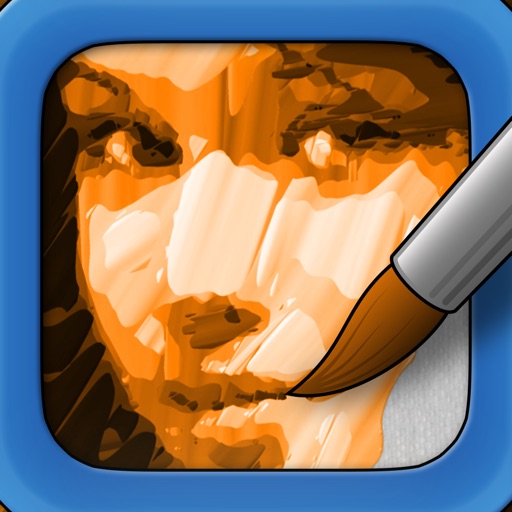
Original photo to oil painting app
The app converts photos into oil paintings. This version adds a watermark to saved images that can be removed with an in-app purchase.



My Voice - Text To Speech
Vlad Khodiachiy
Convert to with nine voices
Convert to natural-sounding using -to- technology. Select from nine distinct voices with varying tones. Copy and paste to generate audio. Save and share generated files. Adjust settings for customization.

Negative Photo Video Maker
Deepak Jalwa
Edit photos and videos with effects
Apply effects to photos and videos by inverting colors. Adjust brightness and contrast. Save edited media to gallery. Share directly from . Draw on images to customize effects.

How we rank alternatives
Apps are ranked by functional similarity, category fit, rating confidence, and popularity.