Apps Like FlipClocker - Simple FlipClock for iPhone and iPad
Display time and date in full screen
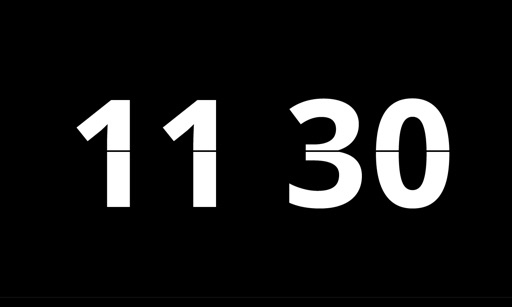
Display time and date in full screen with landscape or portrait orientation. Switch between 12-hour and 24-hour formats. Toggle dark and light modes. Choose between flip clock and analog clock styles. Enable or disable flip animation.
by 通 张★ 5.028 ratingsLifestyleFreeData updated 2026-09-06
Display current time and date with customizable settings. Show screen savers every hour and access a settings toolbar. Enable a store for additional features. Includes improved advertisements.
Use the HD front camera as a clear . Zoom in for detailed makeup application. Flip the screen, adjust zoom, and share the view. No additional hardware required.
Display large, bold numbers that fill the screen for easy readability. Customize colors and themes to personalize the interface. Set alarms and timers with intuitive controls. Switch between analog and digital views.
The app displays the time with large, clear red digits that are easy to read in the dark. Users can control brightness with a swipe and choose between 12h or 24h format.
Desktop displays time with a style and retro interface. Set focus mode to minimize distractions. Use countdown timer for tasks like cooking or workouts. Adjust settings for time zones and alarms.
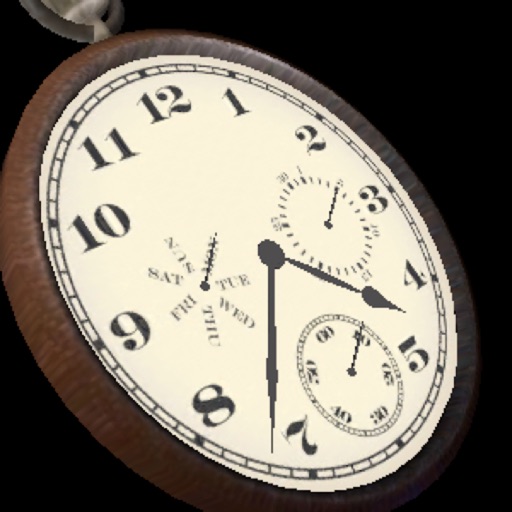
The app displays a three-dimensional analog watch showing the date and day of the week. Users can zoom in and out, and interact with the clock mechanism by turning it around or pushing the knob.
Count down to upcoming events with a large display of remaining days. View a circular clock face showing time left. Swipe between and choose animation styles. Set and manage multiple with customizable styles.
Track game time with adjustable duration and increment settings. Start, pause, and modify remaining time during play. Supports Bronstein and Fischer increment styles. Customize appearance with large fonts. No advertisements.
Clock plays a singing every hour and every 30 minutes. Users can toggle the sound on or off. Custom alarm settings are available. Additional sounds and background images can be purchased. Ads can be removed with a purchase.
The app converts an iPhone into an hourly chiming clock. It plays one of five traditional melodies, even when the app is not running, and offers customizable settings for quarter-hour chimes and time windows.
Convert measurements between and millimeters with a flip button for quick unit switching. Support fractions and display results in both decimal and fractional forms.
Display time with customizable and animated backgrounds. Choose from 10 clock styles and 20 backgrounds. Adjust font and color options. Set as screen saver with Pro Park download. No ads.
Convert measurements between and centimeters with a flip button to switch units. Support fractions and display results in both decimal and fractional forms. Adjust rounding settings for decimal places or whole numbers.
Display a large digital on a flat screen TV for photo shoots or home decor. Customize faces and colors. Sync with devices to show time from a distance. Share designs for use in professional settings.
Organize and store data with customizable categories and templates for bank info, credit cards, and media. Secure data with passcode and theme customization. Share content via AirDrop, Mail, Messages, Twitter, or Facebook.
Turn your iPhone or iPad into a functional watch with a always-on . Adjust brightness manually. Set countdown timers up to 24 hours. Use Pomodoro Technique with 25-minute intervals and 5 or 10-minute breaks.