
Stand Clock Display
Set time, adjust brightness, stay visible
Vladislav Kovalyov
iPhone Screenshots





Description
Turn your iPhone or iPad into a functional watch with a always-on . Adjust brightness manually. Set countdown timers up to 24 hours. Use Pomodoro Technique with 25-minute intervals and 5 or 10-minute breaks.
Turn your iPhone or iPad into a stylish stand clock and always-on desk display.Simple. Clean. Convenient.
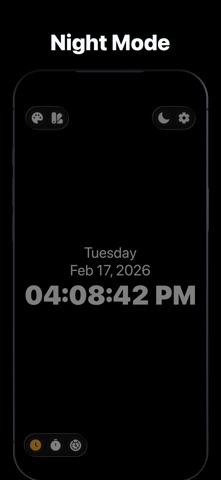
Stand Clock Display is perfect as a desk clock, night clock, bedside clock, or standby display - at home, in the office, or during work sessions.
ALWAYS ON DISPLAY
Keep the screen always on, even if your device supports auto-dimming. Quickly adjust brightness to maximum or minimum for comfortable use day or night.
CLOCK
Use your iPhone or iPad as a standby desk clock or night clock with a clean, minimal design.
TIMER*
Set countdown timers up to 24 hours - perfect for work, cooking, studying, or daily routines.
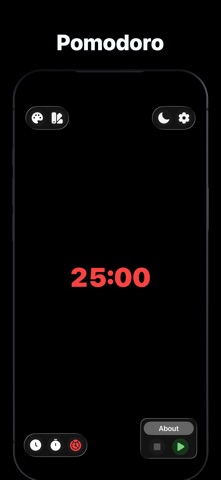
POMODORO*
Boost productivity with the Pomodoro Technique:
- 25 minutes of focus.
- 5 or 10 minutes of break.
CUSTOMIZATION*
Personalize your clock:
- Change colors.
- Choose time format.
- Show or hide the date.Instantly adjust brightness.
* - Upgrade to Pro Version in order to unlock all advanced features.