View surroundings in stereoscopic using a VR headset and iOS device camera. Apply immersive filters with adjustable stereoscopic ratio and customizable resolution and frame rate. Capture stop-motion or high-speed videos with adjustable settings.
Create art with layers, animation, and onion skinning. Import color palettes from Lospec or use built-in options. Zoom with pinch, draw with tap, and view mini-previews while dragging. Sync with Aseprite for file transfer.
Restore faded photos and enhance image quality using AI. Transform static images into animated portraits. Add motion to create dancing or joyful scenes. Edit and share enhanced photos directly.
Create short clips from podcasts with 3 distinct layouts featuring 3-frame animations. Export as "Story 1" with background color boxes or full-screen views. Share clips to Instagram, Snapchat, WhatsApp, or Facebook Stories.
Record videos from your library or capture new footage. Adjust overall speed or specific sections. Enable or for selected parts. Export edited videos in various formats.
Edit videos by adding zoom effects using pinch or drag gestures. Cut or uncut unwanted sections with the scissors tool. Change aspect ratio and videos. Save and share edited videos directly.
Create videos from photos, text, and existing videos using AI-powered tools. Customize professionally designed templates. Edit audio, add transitions, and apply effects. Share directly to TikTok, Instagram, YouTube Shorts, and marketing platforms.
Convert static photos into animated videos using AI technology. Add text overlays and create engaging content. Share videos directly with social media or messaging apps. Edit animations with intuitive controls and preview before exporting.
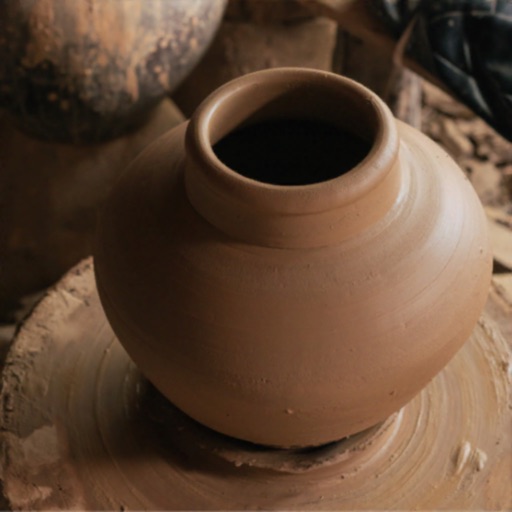
Create by dragging and molding the shape. Bake the pot to prepare for design. Add colors, patterns, and stamps to customize the artwork. Save finished creations to the device gallery.
The app allows users to add wobble effects to photos, simulating the motion of soft objects. Users can adjust softness, control shake areas through various gestures and device movements, and record videos of the wobbling effect.
Place AR artworks, adjust lighting, capture creations
View and interact with augmented reality artworks from renowned artists. Adjust shadow angle and light intensity to fit surroundings. Use night mode with a torch to illuminate the artwork. Capture photos or videos and share with others.
Play puzzles online. Solve over 2600 crosswords offline from past days. Create custom games. Choose from multiple categories like sports, celebrities, and cars. Adjust game settings for personalization.
Compress and edit videos with batch processing, trimming, cropping, splitting, merging, and rotating. Choose H.264 or HEVC codecs with resolution options. Adjust frame rates for 240 FPS videos. Save space with efficient compression.
Watch 360° panoramic, 180° VR, and 3D videos in stereo formats. Supports 2D to 3D conversion and multiple 3D scene modes. Play videos in various formats including m4v, mp4, mkv, and avi.
Play puzzles in 26 languages. Solve unlimited puzzles with 3 sizes and 5 categories. Choose from 4 modes. Compete on leaderboards and track statistics. Earn achievements. Play solo or multiplayer. Use simple controls for easy navigation.
Records video automatically when is detected. Allows sending videos to Dropbox or iCloud Drive. Choose resolution options including 4K and frame rates up to 240fps. Define detection zones for specific areas.
Animate static images by painting direction and using a stop brush. Combine and blend unlimited layers from photos or online sources. Add animated effects with built-in tools. Export and share finished animations.