The allows users to program images onto a SLATE via NFC. Users can select from pre-loaded templates or create custom clapperboard images. Features include cropping, scaling, rotating, and naming custom images.
by Lummico Sp. z o.o.★ 2.25 ratingsPhoto & VideoFreeData updated 2026-09-06
Browse artwork, download images, and display photos
Browse and download artwork, paintings, and photos for Samsung TV or Hisense CanvasTV. Access integrated libraries from Smithsonian, Wikimedia Commons, and Unsplash. and adjust images to fit borderless displays. Share or save edited photos directly.
Create artistic images with single-tap camera effects and professionally designed filters. Adjust brightness, contrast, and tone curve. Blur and focus images. Rotate, crop, and resize photos. Add text and fun stickers.
Take photos with single-tap effects and professionally designed filters. Adjust brightness and contrast. Apply blur and focus. Rotate and crop images. Export edited photos in various formats.
Create a savannah scene with grass, water, and baobab trees. Add animals, lodges, and organize an animal park. Explore the environment by moving through it. Take photos of animals and follow them in a vehicle.
Edit photos with single-tap effects and professional filters. Adjust brightness and contrast. Apply blur and focus tools. Enhance portraits with specialized filters. Export edited images in various formats.
Adjust and resize to fit iOS 7 wallpapers and screens. Zoom, scale, and images for custom backgrounds. Preview modified wallpapers directly within the .
Edit photos by selecting from a gallery or taking new ones. Choose from various -themed to enhance images. Save and share edited photos directly. Create postcards by combining photos with . Adjust and export final edits in different formats.
Create photo collages with hundreds of predefined layouts and AI-powered face detection. Combine up to 10 photos in various aspect ratios. Edit images by dragging, scaling, rotating, and flipping. Apply effects and customize frame width and style.
Take black and white photos with live preview. Use colored lens filters and professional conversion filters. Adjust contrast, brightness, and exposure in real time. Add film grain and black vignetting.
Manage photos with a clear timeline to highlight memorable days. Create collections to organize and share moments. Edit images and videos with lighting, contrast, and color adjustments plus 16 filters.
Create collages, cards, and albums using photos. Select from hundreds of templates and customizable grids. Add backgrounds, frames, and text. Edit images with cropping, filters, and adjustments. Share finished projects directly.
Music allows playback of songs, quick song searches, custom playlist creation, and favorite track marking. Video editor enables playback control with slow motion, speed adjustment, and reversal.
Create slideshows with photo filters, transitions, and background music. Add text overlays and select from various templates. Export to Instagram, Facebook, YouTube, or email. Share directly or save as video files.
Edit photos with cropping, resizing, and removal tools. Apply filters, adjust colors, and add text overlays. Export images in various formats and share directly to social media or online stores.
Convert rectangular videos to square format for Instagram. Post full videos without square cropping. Create custom wallpapers for iPhone lock screen based on device model and clock position.
Apply bokeh, disc, Gaussian, morphology gradient, motion, or zoom blur effects to images. Adjust colors and enhance or remove them for improved visuals. Export edited images in various formats.
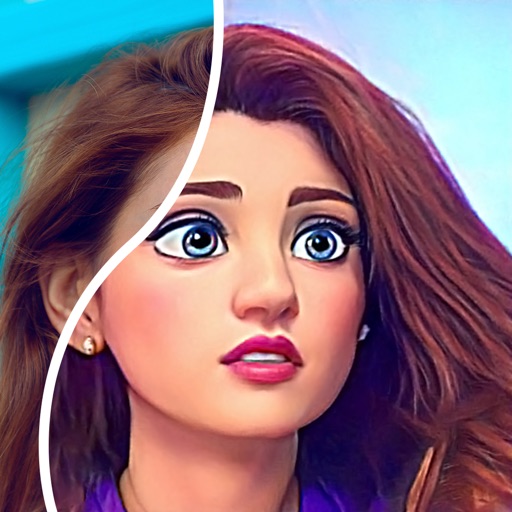
Convert photos into comic styles using AI algorithms. Edit avatars with retouching tools. Access various comic templates. Apply filters and adjust images for effects. Share edited images directly.