Solve right-angled triangles by inputting known sides or angles. View step-by-step calculations and a scale drawing of the triangle. Access basic formulae. Enter angles in radians, decimal degrees, or degrees, minutes, seconds.
Measure angles using your iOS device's camera and sensor. Adjust and calibrate measurements. Save and share readings. Display measurements in degrees, radians, or gradians. Switch between horizontal and vertical modes.
Solve right-angled triangles by inputting known sides or angles. View step-by-step calculations and a scale drawing of the triangle. Access basic trigonometric formulae. Enter angles in radians, decimal degrees, or degrees, minutes, seconds.
The app provides an interactive unit circle to explore relations between angles and trigonometric ratios. It includes an exact trigonometric ratios table and a handbook of trigonometric formulas.
Perform calculations a scientific featuring pi, exponents, square root, negative numbers, and logarithms. View calculation and adjust decimal places or use thousands separators. Customize keyboard colors and sounds.
Calculate length and associated values for gable roofs. Input room width and ridge height to determine pitch, lengths, and ridge height. Use advanced options to enter pitch in radians, degrees, DMS, or rise/run.
Measures angles and incline using device sensors. Users can align objects horizontally or vertically. The displays real-time angle readings and allows calibration. It supports multiple orientation modes for precise leveling.
Perform basic calculations in portrait mode and scientific calculations in landscape. Use root, power, factorial, exponential, division, logarithm, and trigonometric functions. Features a flat UI design similar to built-in iOS apps.
Calculate sides and angles for right-angled and scalene triangles. Access a reference guide for formulas. Perform precise calculations using known values.
Perform complex mathematical calculations using scientific functions and simple arithmetic. Calculate percentages, taxes, and financial figures. Save and share results with others. Syncs with iPad and iPhone.
Calculator provides basic and scientific calculation functions. Users can access a history of past calculations for review or reuse. It includes a live currency converter for exchange rate checks.
The app detects the device's orientation to find any 2D angle. It measures angles in degrees, radians, or as a gradient, holding the measurement for easy reading.
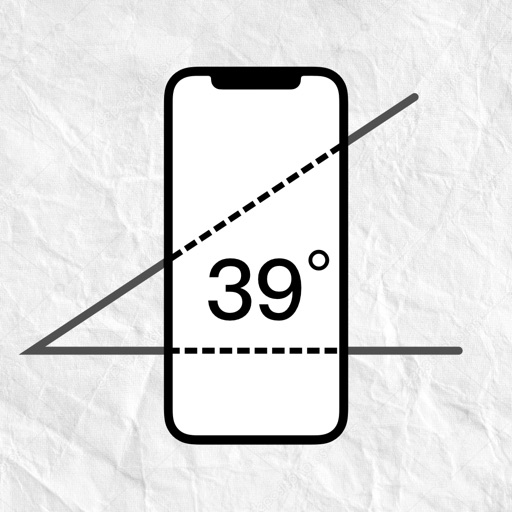
Measure angles by placing the device on the desired surface and adjusting two lines to align with the angle's sides. Display degrees in real time without needing photos or overhead placement.
The app offers scientific and standard modes with over 30 scientific operations. It supports degrees and radians, parentheses, and output in decimal or scientific notation.
The app offers basic and scientific calculator modes, a universal converter for numerous units, and multitasking capabilities. Users can view calculation history, edit input, and customize the appearance with various skins.
Measure distances with AR Ruler and 3D/2D room plans. Detect metal and wires for safe drilling. Use inclinometer for off-road navigation. Check surface flatness and object alignment. Measure angles and track tilt for stability.
Measure tilt angles from 0 to 359 degrees. Display in degrees, percentage, and sum angles for 180 or 360 degrees. Switch to theodolite mode and set specified angles to 0 degrees.
Measures angles and slopes using the iPhone's sensors. Calibrate by placing the phone on a flat surface and pressing the button. Use for carpentry, home decoration, and other tasks requiring precise leveling.