The app transforms faces into art with mutations and effects. Users can take or import photos, view creations in a gallery, and share them on social media.
by Appcano LLC★ 4.32,748 ratingsPhoto & VideoFreeData updated 2026-10-12
The app allows users to import photos and apply exclusive preset after-effects. Users can add preset music or music from their library and share their creations on social media.
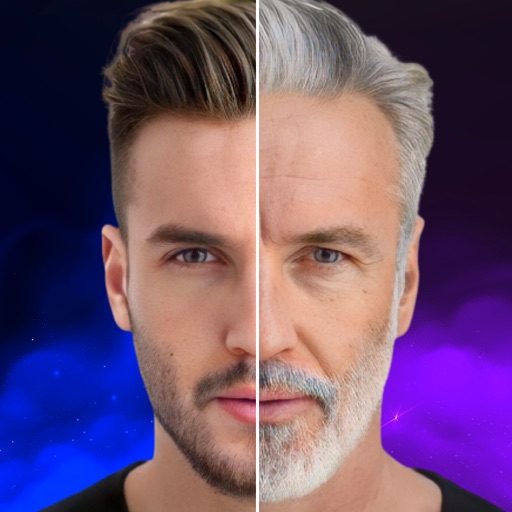
Edit photos with effects to preview past or future appearances. Apply cartoon filters for artistic effects. Add stickers and costumes for creative customization. Share edited images directly.
Combine rabbits to create unique mutations through drag-and-drop mixing. Customize appearance with various traits. Breed and evolve rabbits to unlock new species. Take over the world by spreading mutated rabbits.
Lock photos and videos with password or biometric authentication. View files in fullscreen. Delete files during import. Share with other apps. Use a fake password. Access via private browser. Supports both orientations.
Apply and to photos within a photo editor. Choose from 500+ across 30+ packs. Import directly into the . Adjust brightness, contrast, and saturation for custom edits. Save and share edited photos.
Create custom photo templates and choose from multiple layouts. Share photos via email, AirDrop, WhatsApp, or iMessage. Print photos using AirPrint. Add hundreds of stickers and filters to enhance images.
Browse and download high-resolution from over 100 categories. Access weekly new home and lock screen . Choose from thousands of free options including live , nature scenes, animals, cars, and quotes. Set as home or lock screen directly.
Transform photos into -style images or cartoon avatars using AI. Apply filters like toonify, face child, and reface. Edit portraits with artisan tools. nime or 3D characters. Share edited images directly.
Edit photos and videos by adding glitch effects and trippy art styles. Choose color shifts, adjust intensity and thickness, and edit random seed settings. Capture or select media from gallery or camera. Export edited content.
Create videos using pre-designed templates with animated effects and flashy transitions. Add text, music, and filters. Edit clips, adjust timing, and apply transitions. Share finished videos directly to social media.
Create and edit videos by applying various effects to footage. Slice and rearrange clips from different times and spaces. Snap photos and record videos to share with others.
Faces in photos with a single tap using AI technology. Apply morph effects for seamless blending. Merge faces with friends or celebrities. Create warp effects and share edited images directly.
Create Yes/No stickers to fix or flip messages. Replace text for pranks or corrections. Make custom tapbacks with emojis or colors. Choose from various styles to personalize replies.
Using custom transitions. Select or from the library. Apply dissolve or fade transitions between clips. Adjust volume and trim video clips. Set photo durations and choose orientation. Save to Camera Roll or share to social media directly.