Write notes with natural gestures and minimal buttons. Adjust font size via pinch-to-zoom. Slide notes aside to hide the keyboard. Flip through notes with finger flicks. Customize text appearance without predefined fonts or paper styles.
by Daniel Amitay★ 4.71,606 ratingsProductivityFreeData updated 2026-09-08
Write, research, revise, and share with advanced formatting and support. Edit documents, organize notes, and sync with Dropbox. Customize themes and use keyboard shortcuts for efficient workflow.
Customize iPhone with a wide selection of . Add fun emoji stickers and create unique layouts. Change font styles for messages and personalize typing experience.
Browse fonts from Google Fonts database. View details sent by other apps. Export files to compatible apps. Apply selected fonts to text and share styled images.
The app provides over 120 fonts for use in various applications. Users can customize profiles, write comments, and send messages with different text styles.
Extract colors from photos or camera snapshots. Pan, pinch, and zoom to select areas. View RGB, HEX, CMYK, HSB, and LAB values. Access complementary and Pantone schemes. Export information.
Manage with folders, subfolders, and custom colors. Create personalized score covers for quick browsing. Use smart folders that auto-organize by composer. Edit scores, annotate pages, and share files directly.
The app presents news from Google News RSS feeds in a clean, readable format. Users can customize text, fonts, and themes, and save articles for later reading.
To-do list notes allow item-by-item task recording with completion tracking. Text notes support customizable fonts and text input. Punch-in notes enable time tracking with start and stop functions. Widgets display reminders on the home screen.
Write on images using built-in fonts, backgrounds, and colors or upload custom fonts. Save images as editable documents for reuse. Undo and redo changes. Sync across iPhone, iPod Touch, and iPad.
Create and edit notes with text input. Count characters in notes. Adjust font size and number of rows displayed. Change order. Share notes with others. Delete notes. Set a password for security. Customize notes as a personal notepad.
Create custom stickers by selecting images from your camera or photo library. Cut out stickers by highlighting areas, pinch-to-zoom for precision, undo changes, preview stickers, and delete unwanted ones.
Outline creation and management with nested tags and customizable fonts. Import and export OPML and Markdown files. Sync and share via iCloud. Embed images and format text. Support drag and drop, links, notes, and backlinks.
The app provides over 800 font families for use in iWork and other applications. Users can install their own .ttf and .otf fonts by opening them in other apps and selecting "Install New Fonts".
Display full- digital time with seconds on dynamic island and . Choose from various digital font styles and customize colors. Show date and week information. Set hourly chimes and voice time announcements.
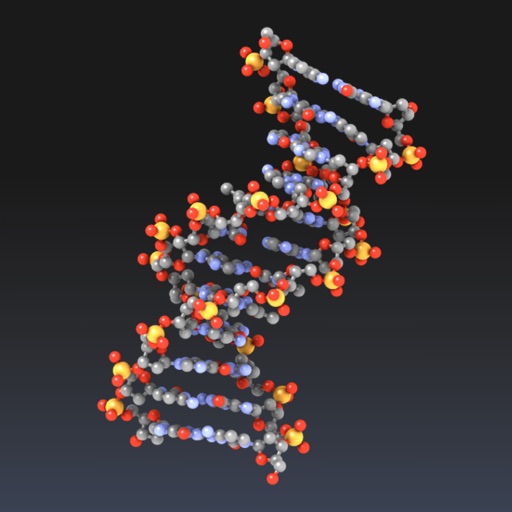
Explore molecular structures in 3D with intuitive gestures and customizable visualizations.
The app allows users to view and manipulate 3D molecular structures. It supports multiple visualization modes and file sharing options for molecular data.
Paper documents to create high-resolution PDFs with OCR for searchable text. Send scans via email or save as images. Organize scans without cluttering notes. Create multi-page PDFs from multiple documents.
Plan your daily , notes, and schedules with a customizable digital diary. Set or monthly plans, track progress, and adjust layouts. Organize , set reminders, and view calendar views for better time management.
Control your computer remotely by launching applications, adjusting volume, and navigating the Mac filesystem. Customize commands for specific apps, open files, and use keyboard and mouse functions.