Write notes with natural gestures and minimal buttons. Adjust font size via pinch-to-zoom. Slide notes aside to hide the keyboard. Flip through notes with finger flicks. Customize text appearance without predefined fonts or paper styles.
by Daniel Amitay★ 4.71,606 ratingsProductivityFreeData updated 2026-09-08
Install ZawGyi font and use as across all applications and the system. Type with Auto-Suggest that predicts characters based on usage patterns. Access Easy Zawgyi input method for simplified typing.
Type with customizable fonts and vibrant themes. Switch between keyboards instantly. Adjust layout and appearance for personalized typing experience. Add stickers and emojis for expressive communication. Share settings across devices.
Scan QR codes and barcodes including UPC, EAN, ISBN, and GS1 Databar. Search for product information based on scanned barcodes. Automatically detect and scan codes without manual button presses. Share scanned results via email or social media.
Guide through the with step-by-step instructions, including song lyrics and petitions. Adjust font size for readability. Access prayers, hymns, and homilies for each day.
Take quick notes by drawing or writing with your finger. Sketch, doodle, and create diagrams directly on the screen. Save and organize notes in multiple pages. Export notes as images or PDFs. Share notes via email or social media.
Record lectures, meetings, and interviews with clear, uninterrupted playback. Play back at 2x speed. Take notes alongside recordings and organize them in a structured system for easy access and review.
Customize web with adjustable fonts and styles. Apply -friendly Dyslexie . Modify text spacing, background color, and line height. Save preferred settings for personalized experience.
Automate clicks and swipes at customizable intervals. Set specific positions and durations for repetitive actions. Ideal for streamlining tasks that require frequent tapping or swiping.
Create text messages by selecting from 150+ fonts or drawing characters by hand. Apply chosen fonts to messages. Share formatted text with contacts. Adjust styles and colors for personalization.
The app supports Unicode 11 standard and thousands of symbols. It allows copying characters to the clipboard for use in other applications and features a notepad with customizable keyboards for frequently used characters.
The app allows users to enter music notation using a finger or stylus. It includes PhotoScore Now for capturing printed sheet music with a device's camera for playback and editing.
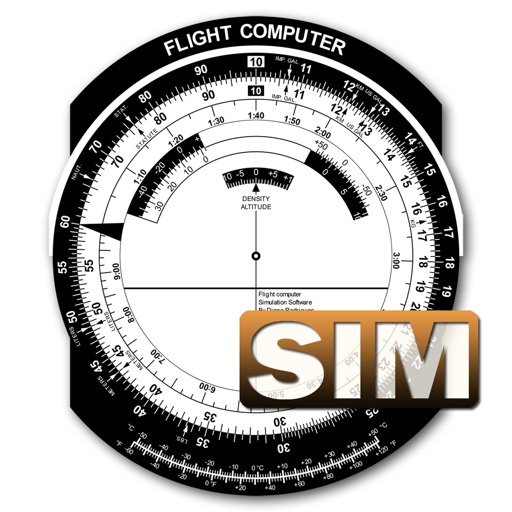
A utility simulates an E6B slide ruler for aircraft pilots. Perform conversions, wind corrections for low and high speed. Rotate, slide, and pinch zoom for precise control. Includes three calculation modes.
Read verses and explore slokas from Ramcharitmanas
Read the Ramcharitmanas in Hindi with offline access. Adjust font size for easier reading. Bookmark specific prakrans. Explore detailed slok descriptions across seven kands.
The app allows users to create handwritten notes, personalized emails, and hand-written social media posts. It offers features like cut and paste, photo insertion, and customizable settings for pens, backgrounds, and fonts.
Write steno using the iPad touch-screen. Import translation dictionaries in RTF-CRE format. Get instant real-time translation. View writing speed in strokes-per-minute. Send emails and save notes. Sync with external dictionaries.