Write notes with natural gestures and minimal buttons. Adjust font size via pinch-to-zoom. Slide notes aside to hide the keyboard. Flip through notes with finger flicks. Customize text appearance without predefined fonts or paper styles.
by Daniel Amitay★ 4.71,606 ratingsProductivityFreeData updated 2026-09-08
Create and organize notes with color coding. Arrange sticky notes on a virtual whiteboard. Save and share notes across devices. Import images and PDFs. Collaborate in real-time with multiple users. Set reminders and categorize notes.
Capture ideas in a single continuous draft with text, drawings, or formatting. Organize intuitively, search easily, customize fonts, collaborate, set reminders, and sync across devices.
Create notes with customizable icons and profile editing. Store notes securely within the without sharing. Write ideas for creativity or document personal feelings as a diary. Organize content in a style for easy reference.
Offers satellite GPS course maps for any course. Users can pinpoint targets and view distances in meters or yards. Pinch to zoom and pan the map. Adjust club selection based on displayed distances.
The app provides a Khmer system keyboard for iOS. It assists users with installing fonts, typing in Khmer, and quickly copying text to other applications.
Manage plain text with iCloud sync and support. Create and organize links. Integrate with Shortcuts. Access additional fonts, colors, and icons with a one-time purchase. Sync across iPhone, iPad, Apple Watch, and Mac.
Create with an infinite canvas for spatial thinking. Draw connections between ideas. Organize content through hand-drawn sketches and text. Export in multiple formats and share directly.
Capture thoughts quickly with a simple note-taking . Create notes instantly with a clean interface. Sync via iCloud or keep local. Track word and character counts. Customize fonts. Automatically link URLs. Share or use with Shortcuts.
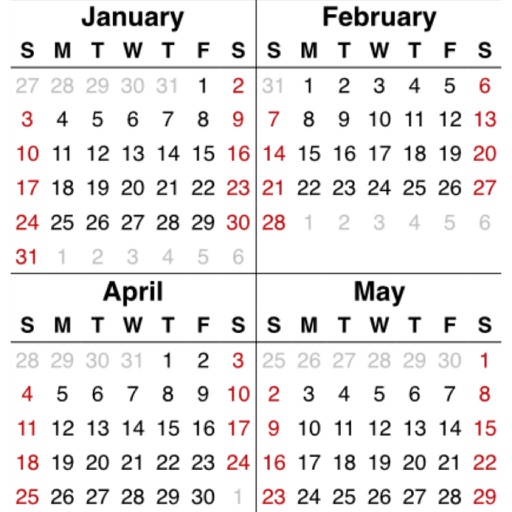
Manage multiple calendars with customizable color tags and holiday highlights. Add notes, set reminders, and adjust font sizes. Perform bulk operations and search memos. Access today's events via widget. Supports dark mode.
View subway and local train maps for New York City. Search stations by name. Zoom with pinch-to-zoom. Close and reopen without reloading. Load maps instantly with high-quality images. Navigate offline without internet connection.
The app allows users to post images and text to Facebook and Twitter at the same time. It supports all interface orientations and is a universal app for iPod Touch, iPhone, and iPad.
Mark picture dimensions and add notes with customizable labels, lines, and fonts. Batch import and export images in PDF, JPG, or ZIP formats. Organize files into folders. Use a magnifying glass for precise .
Create custom by combining font styles and effects. Design unique effects for personalized use. Enable cheat mode for easier typing. Send encrypted messages for private communication.
Send direct messages to any number without saving contacts. Repeat text to generate multiple copies of words or sentences. Apply various font styles to text. Crop photos to adjust size and focus.
The app allows users to create, edit, and share handwritten documents. Users can select from various paper backgrounds and pen colors and thicknesses to customize their notes.
Perform calculations with over 225 built-in operations including trigonometry, logarithms, complex functions, and real numbers. Scroll through the stack with finger gestures. Copy and paste results. Work with real and complex numbers.