
Apps Like Auto Colorize Pro for iPhone and iPad
Change photo colors with automatic technique.
The app uses an automatic colorization technique based on scribbles to change object colors in photos. Users can mark parts of an image with any color and the app will apply the changes.
Auto Colorize Pro screenshots
Ranked alternatives
Showing 141–160 of 1,000 ranked alternatives.

DigiCel FlipPad Animation App
DigiCel Inc.
Draw frames and animate sequences
Create traditional hand-drawn animations with support for Apple Pencil or finger input. Use the traditional xsheet for timing and thumbnail previews. Enjoy smooth, natural drawing with automatic onion skin lighting for better visibility.
Anonymizer
Digitalt Hjarta AB
Blur faces, resize images, share safely
Blur faces automatically using facial recognition. Add blur, solid color, or emoji to hide faces. Resize and reshape blur regions. Adjust color and effects. Share edited images to photo library and other apps.

Slide.Puzzle
Timothy J Horling
Classic sliding block puzzle toy.
The app is a classic sliding block puzzle toy. Users can tap or swipe to move tiles, with two reset modes and ten different patterns to discover.



Lux Draw
Norbyte
Draw with light-inspired tools.
The app uses live-calculated brushes and strokes with HDR values for a unique art style. It offers gritty paper/canvas textures that interact with drawing tools for a satisfying look.

Make Photos Clear - Colorize
Tolunay Kandirmaz
Blurriness, boost colors, restore clarity
Enhance by removing blurriness and improving clarity. Restore old or faded images to reveal vivid colors and details. Increase resolution for sharper, clearer results. Apply color enhancement and detail sharpening.

Pic-Artist Collage
峥 俞
Create collages and share them online
Create collages with 106 adjustable layouts and 31 irregular designs. Choose from 18 frames and 36 backgrounds. Customize borders with color and shape. Edit photos using a built-in PRO editor.
Whitagram
Sangmook Lee
Use original size photos with background.
The app allows users to edit photos with a white background for Instagram. Users can adjust brightness, add frames, and include text or stickers.
All-in-1 HD Slow-Shutter Pic-Lab & Studio Art Design Editor Free
Baby Bala LLC
Control photo look with shutter.
The app offers slow shutter control for unique photos with adjustable shutter speeds from 0.5 to 15.0 seconds. An editing lab allows users to draw on photos, add text, adjust brightness, contrast, saturation, and apply various effects.

Perfect Pic—Face & Body Editor
Tinkerworks Apps
Edit photos and videos instantly
AI Face Beautifier allows users to enhance facial features, smooth skin, remove blemishes and lines, and de-age appearances.
Background Eraser - Auto Cut
Liam Sammy
Edit photos and remove backgrounds automatically
Edit photos by removing backgrounds with mode, object extraction, and quick select tools. Use transparent backgrounds for stamps and collages. Share edited images directly with other apps.

RGBer
Magiwow, LLC
Tap to edit color values and calculate
Determine RGB, HSV, and Hex values for any color. Tap on a photo to extract color values. Adjust red, green, and blue sliders to customize colors. Edit values directly and view calculated results. Use grayscale meter to find neutral color mixes.
Depello - color splash photos
Northmind AB
Tap to highlight colors
Convert to grayscale and highlight a specific . Tap to select the to emphasize. Preserve detail and apply effects using advanced computer vision. Export edited images directly.

Egg Draw LITE
ATBOSH Media Ltd.
Symmetrical Easter eggs with custom colors
Create symmetrical Easter egg drawings with customizable background and brush colors. Select from four brush sizes. Save or share artwork. in random mode for automatic brush size changes.

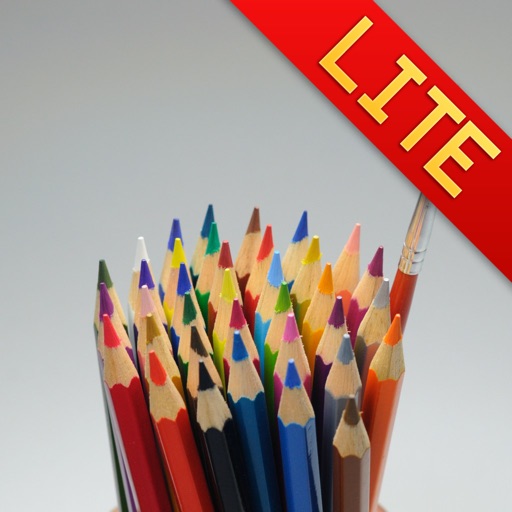
Water Color Pencil Lite
Raysoft.co
Draw with pencils and flow effect
Create art using realistic and watercolor effects. Draw with tools like marker, airbrush, crayon, and eraser. Apply fluid-based watercolor effects in the full version. Adjust colors and blend textures for detailed illustrations.
How we rank alternatives
Apps are ranked by functional similarity, category fit, rating confidence, and popularity.