Crop images into various shapes using over 70 masking tools. Adjust background colors. Export directly to Instagram or other apps. Share edited photos across supported platforms.
by Yusuke Horie★ 4.8157 ratingsPhoto & VideoFreeData updated 2026-09-08
Convert videos into high-quality images with frame extraction. Select specific moments to capture. Edit and enhance images with built-in tools. Save and share converted photos directly.
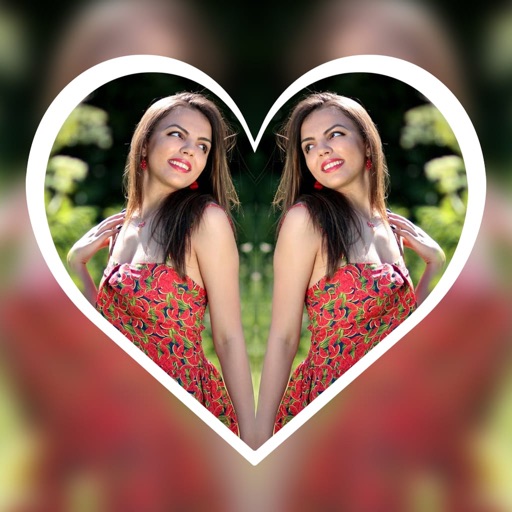
Create reflection for photos with left-right, up-down, and repeating options. Apply cool filters and artistic frames. Edit images to generate twins and typography .
Add watermarks, text, signatures, and stickers to photos. Choose from symbols, trademarks, and social icons. Customize designs with logos and graphic elements. Save and share edited photos directly.
Edit photos with filters, effects, and backgrounds. Add stickers and choose from various fonts. Crop, resize, and rotate images. Create square photos and adjust ratios. Share edited photos directly.
Edit photos with New and Christmas frames. Add text, stickers, and effects. Share edited photos directly to social media or messaging apps. Adjust brightness, contrast, and saturation for enhanced visuals. Export in various image formats.
Add , captions, and artwork to . Select from curated background options. Choose images from device storage or camera. Adjust size, position, and style. Save and share edited directly.
Create 2D animations and videos frame by frame. Use multi-track timelines and keyframes for motion. Record motion or effects easily. Access 300 textured brushes for drawing. Export animations in various formats.
Post photos and videos without cropping for Instagram. Add blur backgrounds automatically. Resize, rotate, and zoom content within the square. Apply effects, filters, stickers, and text. Select no layouts. Support 1080P video. Save in high quality.
Create reflection effects with left-right, up-down, or repeat options. Apply effects and designer frames to enhanced images. Select from gallery or capture new photos for editing. Export and share edited images.
Crop and trim clips, split or duplicate segments. Adjust position, rotate, or flip. Apply filters and customize background color. Merge videos and change playback speed for slow or fast motion.
Edit photos with effect and features. backgrounds and apply black-and-white conversion. Select areas for contrast. Zoom with two-finger pinching. Adjust brush size, opacity, and offset. Export edited images.
Edit photos with filters, adjustments, effects, blur, and focus. Crop, rotate, and draw on images. Apply tone curves and enhance details. Save and share edited photos in various formats.
Create geometric patterns and ornamental designs with adjustable shapes and colors. Generate 3D models, kaleidocycles, Escher-style spirals, and animated GIFs. Export as videos or images. Transform and deform patterns with intuitive tools.
Add padding, borders, and frames to photos for optimal platform fit. Adjust padding size and style. Export full-resolution images without quality loss. Process multiple photos in batches.
Create social media content by converting to reels. Add from device or cloud storage. Apply filters and crop images. Trim audio and adjust fade effects. Save final edits to photo library.
Convert photos to and with one tap. Apply various monochrome filters for different styles. Adjust brightness, contrast, and grain. Crop and resize images. Save and share edited photos directly.
Take photos with using online filters for , scenery, food, and travel. Edit images with numerous stickers and auto-enhancement tools. Export and share edited photos directly.