Take notes with customizable text styles, colors, and themes. Add sticky notes with widgets. Create to-do lists and organize tasks. Secure notes with encryption. Export notes in multiple formats and share directly.
Create lists for games with up to 26 rows. Add photos and choose colors for each . Export lists to the photo gallery. Save lists within the for future use.
The app allows users to quickly write and read notes on two different notepads simultaneously. Additional functions, such as more notepads and font customization, are available via in-app purchase.
Write notes, create checklists, and schedule tasks. Adjust text size with pinch gestures. Automatically expand column height based on text or font size. table of contents for organized notes.
Arthur Eduardo Skaetta Alvarez Desenvolvimento de Software LTDA.
With one touch
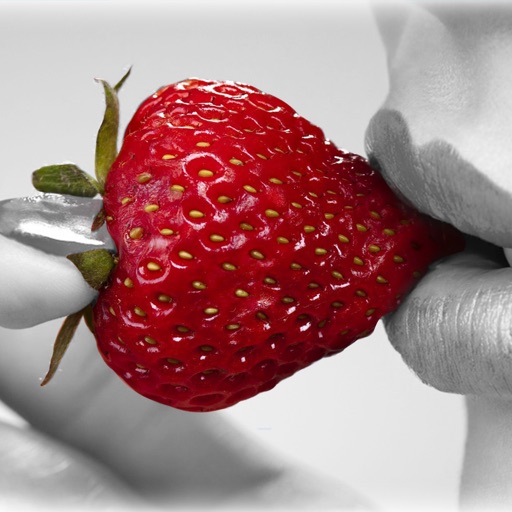
Using AI to add color to black and white images. Import from camera or photo library. Adjust color intensity with a slider. Save or share the edited image.
Write notes with natural gestures and minimal buttons. Adjust font size via pinch-to-zoom. Slide notes aside to hide the keyboard. Flip through notes with finger flicks. Customize text appearance without predefined fonts or paper styles.
The app allows users to recolor photos and apply color effects. Users can choose from 66 vivid colors or black and white to decorate images, with options to adjust brush size, intensity, and translucence.
Write on PDFs, create notebooks with customizable templates, sketch notes on a large freeform canvas, and take notes on vertically extended pages. Organize content across different document types and layouts.
Take notes with customizable icons and theme colors. Save memos with unique styles. Edit text, add stickers, and organize notes into categories. Share notes via email or social media. Sync across devices for seamless access.
Edit images with drawing tools like rectangles, ovals, arrows, lines, and text. Add notes and highlights. Adjust colors and brightness. Save and share annotated images directly.
The app allows users to capture notes, memos, or comments. Users can create checklists with checks or tasks, and type in a diary, eliminating the need for a notepad.
The app displays a 24-hour or 12-hour clock with a single hand. Users can customize the clock's appearance with a chosen background and dial characters.
Count down to a special event with customizable features. Set days, hours, minutes, and seconds. Choose or upload a background image. Add a title with adjustable font size, family, and color.