Compress photos to reduce file size while maintaining quality. Adjust compression settings to balance clarity and size. images to specific dimensions. Batch process multiple photos at once. Save compressed files directly to device storage.
Digitize documents like contracts, receipts, and notes into PDF or JPEG files. multiple items at once and combine them into a single PDF. Adjust image clarity and crop edges for better readability. Export and share scanned files directly.
Compressor lets users compress single or multiple videos while keeping intact. Preview a 10-second clip before compression. Adjust compression ratio using a slider. Save space on the iPhone without losing important information.
Reduce photo size using 10 predefined levels or custom dimensions. Crop images to any position and size. Rotate photos in 90-degree increments or straighten them. Adjust orientation and export edited files.
View DXF and DWG files with support for ASCII and binary formats. Export to PDF, SVG, IGES, PNG, and JPEG. Adjust size and color, manage layers, and perform panning, zooming, and rotating. Load files from ZIP or RAR archives.
Take a photo of an object and use AI to estimate its weight based on size and proportions. Measure multiple object types like produce, luggage, or tools. Save and share weight estimates directly from the .
Collaborate in real-time by drawing, writing, and sketching during video calls. Share notes and annotations directly with participants. Broadcast whiteboard content to video conferencing platforms. Save and export session recordings.
Determine RGB, HSV, and Hex values for any color. Tap on a photo to extract color values. Adjust red, green, and blue sliders to customize colors. Edit values directly and view calculated results. Use grayscale meter to find neutral color mixes.
Print and scan documents directly from your iPhone or iPad. Support multiple file formats including PDF, Word, Excel, JPEG, and PNG. Send files to wireless printers or save as digital copies.
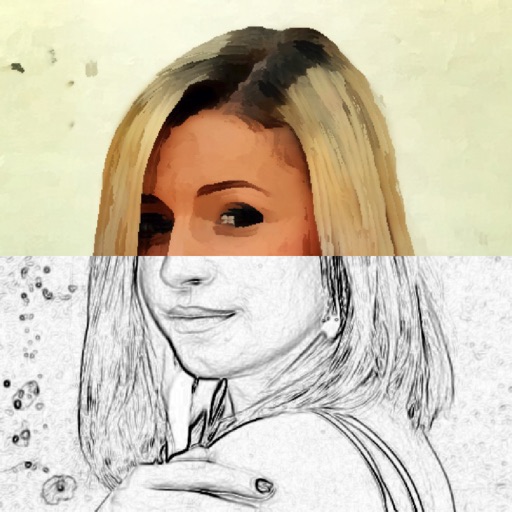
Create side-by-side image comparisons by merging two photos with a slider. Adjust opacity and alignment. Export edited images in various formats. Share directly via social media or messaging apps.
The app provides users with the ability to draw on their device. Users can select from over 16 million colors with RGB selection and adjust brush thickness and color transparency.
Create and annotate digital whiteboards with AI image recognition and handwriting-to-text conversion. Draw with Apple Pencil pressure sensitivity and use rich tools for shapes and text.