The app allows for remote adjustment of mixing parameters for the Roland M-300 V-Mixer. It provides control over channel and bus settings, including EQ and faders, from various locations.
by Roland Corporation★ 3.02 ratingsMusicFreeData updated 2026-10-11
Control mixing parameters from locations using real-time adjustments. View and modify settings via iPad's touchscreen interface. Serve as a sub-display for monitoring mixer status and configurations.
Control audio mixers remotely with real-time EQ adjustments and monitor setup. Adjust levels, select inputs, and manage outputs from multiple iPads. Connect via dock cable, USB wireless adapter, or wireless LAN.
Control mixing, processing, and effects of X18/XR18/XR16/XR12 mixers via iPad. Adjust 18 input channels and 12 buses. Edit 4 stereo effects processors. Access routing, EQ, and dynamics settings. Save and recall mixer configurations.
Control multiple Yamaha audio devices to play music throughout your home. Select the same or different music in each room. Stream from popular music services or internet radio stations. Access your music library and manage playback across devices.
Control instruments with multi-touch gestures. Adjust parameters in real-time. Route audio and MIDI signals. Access transport controls and mixer functions. Perform live using touch-based input. Sync with Pro or GarageBand on Mac.
Edit with 16 tracks, 20+ effects, and lossless output. Use AI to separate vocals and instruments locally. Record with minimalistic interface. Zoom and adjust waveform for precise editing. Export and share edited files directly.
Edit by splicing, mixing, and cutting. Record with wired or wireless earphones. Adjust playback speed from 0.2 to 4 times. Balance left and right channels. Export edited files.
Create music with a wide range of instruments, loops, and samples. Record and edit tracks. Export projects in multiple formats. Collaborate in real-time with others. Access advanced mixing and mastering tools.
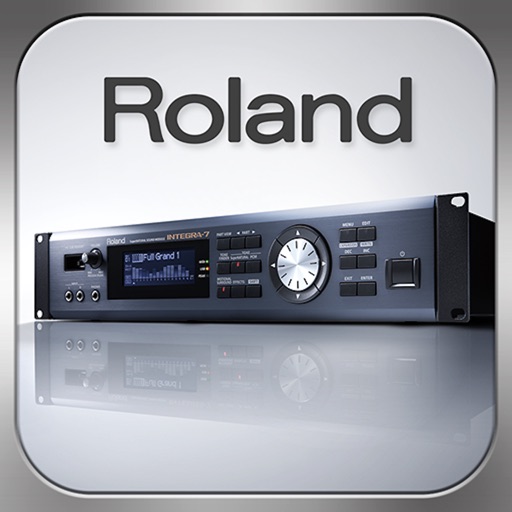
Control synthesizer parameters like SuperNATURAL Synth Tones and Part Mixer remotely. Select and load Studio Sets. Adjust tone assignments for each part. View and modify settings on an iPad screen. Requires Roland -7 and Wireless Connect.
Connect compatible speakers wirelessly for audio playback. Customize speaker settings and control volume. Receive software updates and access product support through the .
Record with no duration limit and up to 24 bit / 96 kHz quality. Edit files with fluid performance, even with large files. Use unlimited undo and redo features for precise edits.
The app provides personal stereo monitor mixing for the X32 Digital Mixer using an iPhone or iPod Touch. Musicians can control their individual mixes and group inputs using MCA faders for simplified performance control.
Record and play files. Edit with cut, copy, paste, trim, fade, and silence insertion. Normalize and reduce noise. Adjust tempo, speed, and pitch. Use a 10-band equalizer and compressor. Split vocals and accompaniment. Remove reverb and clean voice.