Apps Like HEARD - the Plan B for memory for iPhone and iPad
Record audio, save, and organize notes
Record audio clips to capture important conversations or information. Tap to start and stop recording. Save and organize clips in a timeline. Share clips via email or messaging apps. Set reminders for review. Export audio files in multiple formats.
by Faalsa Labs★ 3.225 ratingsProductivity$0.99Data updated 2026-10-26
Listen to live news and talk shows from 102.3 Tulsa. Receive push notifications for breaking news, severe weather alerts, and traffic updates. Set alarms for morning and evening news segments. Use open mic to submit voice messages.
Play to prank friends or family. Choose from various audio clips. Share recordings via social media or messaging. Set reminders for prank timing. Adjust volume and playback speed.
Send voice messages instantly with real-time audio transmission. Share voice notes and receive responses immediately. Initiate conversations by pocking friends or switching to video calls. Control microphone input with hold or lock functions.
Capture thoughts, notes, and ideas with a digital notepad. Organize plans, create sketches, and save memos. Sync notes via OneDrive for access across devices. Track errands and manage tasks efficiently.
Records audio from meetings, lectures, and conversations for transcription. Summarizes key points and suggests tasks. Builds context over time to support AI-driven productivity and organization.
Take handwritten or typed with digital ink and text tools. Annotate PDFs, textbooks, slides, and images. Record audio and combine with sketches, diagrams, and highlights. Search and organize content for easy retrieval.
Track daily gratitude entries with guided prompts. Set reminders for journaling sessions. Review past entries and reflect on progress. Customize journaling themes and formats. Share entries with others via social media.
Manage team projects and community activities with integrated chats, channels, and calendars. Schedule events, share files, and track tasks. Host audio and video meetings. Collaborate on documents and set access permissions.
Manage team communication with chat, meetings, and calendar integration. Schedule and join calls, send messages, and access shared documents. Use AI Companion to summarize messages, draft responses, and prioritize tasks.
Share opinions on movies, TV shows, shopping experiences, and products/services. Complete surveys to earn points redeemable for gift cards. Receive feedback requests from companies and research firms. Track points balance and redeem rewards.
The app manages microphone input with hotkey controls. It allows users to mute or unmute their microphone by pressing and holding a designated key, preventing unwanted audio transmission.
Record audio and phone calls continuously without interruption. Save and organize recordings with timestamps. Edit audio clips, add notes, and share files directly. Sync across devices and access recordings from any location.
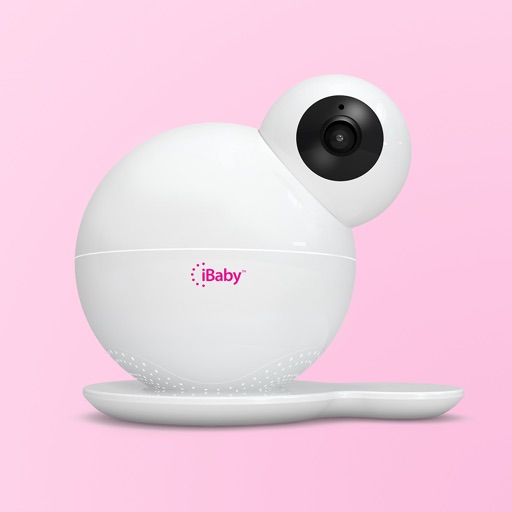
The app allows users to view live HD video streams from their iBaby monitor day or night. Users can play music, record stories, and speak with loved ones, while also capturing photos and video clips.
Record audio during meetings and generate real-time transcriptions. Capture slides automatically and create meeting summaries. Sync with Zoom, Google Meet, and Microsoft Teams. Export and share directly.
Audio with one-tap start and stop. Transcribe recordings directly within the . Sync files to iCloud across devices. Edit audio and transcriptions in-. Use Siri for hands-free recording. Share recordings via email or messaging.
Manage schedules, track performance, and monitor compliance for deskless employees. Assign tasks, set reminders, and generate reports. Integrate with payroll and time tracking systems. Centralize communication and streamline administrative tasks.
With noise reduction technology for meetings, lectures, and events. Playback and edit recordings. Save files for later use. Adjust volume and trim sections as needed.