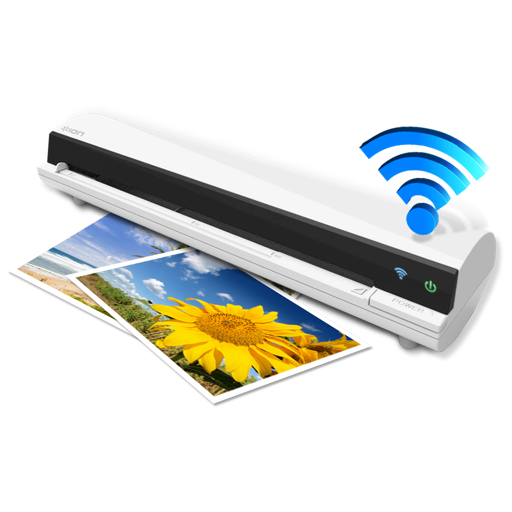
The app works with the ION Air Copy hardware, a portable Wi-Fi scanner. It scans photos, receipts, business cards, notes, and documents up to US Legal size directly to a Mac, then shares them via email or social networking.
by Ion Audio, LLC★ 0.00 ratingsProductivityFreeData updated 2026-10-10
Generate strong passwords with customizable length and character types. Create and copy passwords directly. Share passwords via Notes, Messages, or copy to clipboard. No storage or transmission of passwords.
The app allows users to copy images from a MAC or PC to an iOS device's Camera Roll. Users can then import all images into their Camera Roll, and they will be deleted from the app.
Convert photos and documents to PDFs with OCR technology. Edit text, annotate pages, and export files. receipts, notes, and papers quickly without registration or login. Share or save PDFs directly from the .
Scan documents, photos, PDFs, and ID cards using device camera. Save, delete, and share scanned files. Scan QR codes and barcodes. Access scanned documents without needing physical scanners or printers.
The app displays documents and multimedia from the internet or a user's iPhone/iPad wirelessly. It cooperates with Just Mode devices and switches wireless display standards.
Documents, business cards, receipts, and multi-page papers. Convert scanned images to text using OCR. Share scans as images or PDFs. Edit scanned documents and add notes. Export files to cloud services and email.
Add and connect to a printer via QR code or NFC tap. Open documents for printing or scanning. Print and scan directly from the device without needing a direct printer connection.
Schedule and manage events with automatic and custom settings. Set multiple with filters. Receive daily summaries and find free time. Reserve time blocks to avoid overlaps. Sync with Apple Watch for haptic .
The app allows users to type on their iPhone, iPad, or Apple TV using their Mac's keyboard. It transforms the Mac into a Bluetooth keyboard for all devices and supports keyboard shortcuts for initiating typing and copy-pasting text.
Scan QR codes and barcodes to automatically detect URLs, phone numbers, and email addresses. Open links in the browser, make calls, send emails, add contacts, or copy information to the clipboard.
Scans QR and barcodes to extract text, URLs, contact info, and more. Decodes Ali Payment and documents. Browse deals from scanned content. Share decoded information via copy or social media.
Scan documents, receipts, and handwritten notes with high accuracy. Save scans as PDF or JPG. Share via email, Airdrop, Dropbox, and Virtual Mailbox. No ads, free to download. Organize and manage digital documents securely.
The app helps users find and delete large, useless files to free up disk space. It provides an instant preview and saves scan results for later cleaning.
QR and Barcode codes to view product details and code information. Save and share . Access favorites for quick scans. Perform batch scans and export data as CSV or TXT. Create and share custom codes. Enable dark mode for private use.
The app turns a device into a portable scanner for documents, invoices, receipts, and more, saving them as PDF files. Users can create PDF files and share them with online storage services.