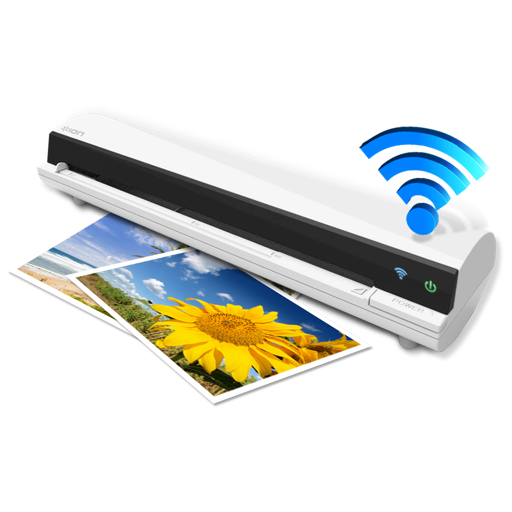
The app works with the ION Air Copy hardware, a portable Wi-Fi scanner. It scans photos, receipts, business cards, notes, and documents up to US Legal size directly to a Mac, then shares them via email or social networking.
by Ion Audio, LLC★ 0.00 ratingsProductivityFreeData updated 2026-10-10
The app captures and imports documents, including receipts, notes, and multi-page files. It allows users to organize, enhance, and search their scanned paperwork with on-device text recognition.
The app supports specific Fujitsu fi-series and ScanSnap document scanners for Macintosh users. It offers a streamlined document scanning application and includes an Automator action for workflow automation.
Documents, receipts, and notes to create high-resolution PDFs. Edit text, add annotations, and organize files in folders. Share scans via email, cloud services, or messaging apps. Convert scanned images to editable text with OCR.
Transfer between devices wirelessly without cables. photos, videos, contacts, calendars, and other files. Initiate transfers with minimal steps. Ensure secure and hassle-free migration.
Documents, photos, and business cards to create PDF files. Edit PDFs and convert images to text using OCR. Translate extracted text from images and PDFs. Export and share documents in multiple formats.
This application displays a view-only Cue List for Eos family products. Lighting designers and stage managers can view current and pending cues on iPhone and iPad devices.
Documents, photos, or text to create digital copies. Automatically detect document borders or adjust manually. Convert captured content into PDF format. Share or save scanned files directly.
Documents into high-quality PDF or JPEG files. Save scans locally or share via email. Print documents directly or store them in cloud services. Edit scanned pages for clarity and organize files by folder.
And enhance , business cards, receipts, and forms with auto-mode and imaging tools. Organize files using tags and multi-select. Export in seven formats and share individually or in batches.
Convert paper documents and images to PDF or JPG formats. Use OCR to recognize text automatically. Save files in multiple formats including PDF and JPEG. books, receipts, notes, and business cards in high quality.
Scan documents, receipts, and notes using the camera. Auto-detect document edges for clean scans. Enhance image quality with Original, Enhance, or Grayscale modes. Save and share scans directly. Organize files into folders and view thumbnails.
Scan documents into PDF or JPG formats. Use AI-powered OCR to extract text. Edit scanned files with cropping, rotation, and annotation tools. Save and share documents directly from the .
Manage financial and digitally. Scan credit and debit to save in . Convert receipts, notes, and contracts into PDF, Word, or JPEG. Access files across iPhone, iPad, and Mac.
Arthur Eduardo Skaetta Alvarez Desenvolvimento de Software LTDA.
Photos and save to albums
Documents and photos using the device camera. Save scanned images to the camera roll or organize them into albums. Automatically crop scanned images by detecting paper edges. Adjust brightness and contrast for clearer scans.
Scan documents with auto-detection of borders and manual adjustment. Save as PDF or JPEG. Organize files by folder. Share scanned documents. Subscribe weekly or annually, or purchase the outright.
, receipts, and notes into PDF, image, or text files. Save individual pages or create multi-page PDFs. Share scans directly or export to cloud storage. Sync with iCloud or preferred cloud services.