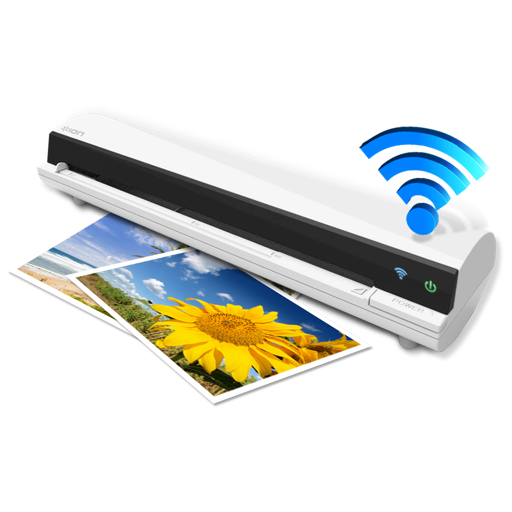
The app works with the ION Air Copy hardware, a portable Wi-Fi scanner. It scans photos, receipts, business cards, notes, and documents up to US Legal size directly to a Mac, then shares them via email or social networking.
by Ion Audio, LLC★ 0.00 ratingsProductivityFreeData updated 2026-10-10
Store photos, videos, documents, passwords, cards, notes, contacts, audios, and favorite locations securely. Access and manage all data in one place. Import defunct contacts to prevent syncing with social apps.
Digitize documents, photos, receipts, and notes with high-quality scans. Automatically detect edges and enhance text for clear results. Combine multiple pages into one PDF. Store and share scanned files securely.
Play HD videos with Dolby Vision and HDR10+ support. Support for MKV formats and 4K resolution. Adjust playback settings and view subtitles. Sync with devices for high-quality video streaming.
The app transforms devices into portable scanners for receipts, notes, and multipage documents. Scanned documents are saved as PDFs and can be emailed or printed.
Scan documents, extract data, create PDFs, organize
Scan documents and business cards to create PDFs. Extract contact information automatically. Organize files using folders and tags. Edit, sign, and send scanned documents. Manage and store digital files in a personal library.
Convert physical to clean, professional PDFs. Automatically crop and correct perspective, shadows, and distortions. Save scans in high-quality formats and share digitally.
Paper documents to create high-resolution PDFs with OCR for searchable text. Send scans via email or save as images. Organize scans without cluttering notes. Create multi-page PDFs from multiple documents.
Create and edit PDF documents by adding text, notes, and drawings. Import images and PDFs from the file . Convert photos to PDF, duplicate, rename, and password protect files. Rearrange pages, search within PDFs, and share as PDF or image.
Browse files to view documents, pictures, and videos. Manage files with folder creation, text file editing, and media playback. Hide private files within the for secure storage and isolation.
The app transforms mobile devices into portable scanners for documents, receipts, and notes. It processes images to enhance readability and allows saving or sharing scans as PDFs.
The app scans, looks up, and updates asset information on the AssetTrack® 4 Server. It receives, stores, deploys, moves, and retires hardware assets wirelessly using the device's camera or a Bluetooth barcode scanner.
Convert paper documents, receipts, or notes into editable PDFs with one tap. Extract text from images or scanned files for editing and sharing. Scan QR codes and convert Word files into high-quality PDFs.
View and navigate PDF documents with a user-friendly interface. Sign and authenticate documents using a signature pad. Scan and save documents as PDFs. Share files directly or export in multiple formats.
Print, scan, and fax documents directly from your smartphone. Connect to Wi-Fi printers and fax machines. Send faxes without a computer. Share scanned documents via email or cloud services. Manage print jobs and monitor status in real time.
Scan documents, photos, and receipts using the device camera. Save scans as PDF or image files. Share scanned documents via email or social media. Edit scanned images with cropping and brightness adjustments.
Convert photos into PDF files by selecting and merging multiple images. Crop and filter documents for clarity. Share or save PDFs directly. Manage and organize scanned documents within the .
Turn phone into a document to convert papers into PDF files. Use OCR to extract text from images and save as searchable files. Scan documents, save as PDF, and share digitally.