The app transforms an iPhone or iPad camera into a scanner. It displays the scan area using AR, eliminating the need for manual trimming by pre-setting document sizes.
by eXTEM Software Japan, Inc.★ 0.00 ratingsUtilitiesFreeData updated 2026-10-10
Identify radio transmissions with multiple formats.
The app identifies two-way radio transmissions using Motorola MDC-1200, GE STAR, or Kenwood FleetSync formats. It also decodes the QuickCall II signaling format, serving as a tool for radio technicians and scanner listeners.
Identify and scan colors using camera input. Retrieve hex codes and names. Organize and save palettes. Share data via copy or export. Integrate with design tools for accurate matching.
Scan QR codes, barcodes, and create custom codes for links, contacts, Wi-Fi, and SMS. Use camera, gallery, or manual entry to scan. Supports all popular QR and formats. Generate QR codes for quick sharing and access.
Connect to wireless printers and photos, data sheets, or web pages anytime. Adjust size, page count, and orientation. Scan documents or photos and them directly. Import files and them without manual setup.
Scan documents using camera or photo library. Automatically detect and enhance edges for clear PDFs. Save and share scanned files. Organize and search documents. Export in multiple formats. Protect files with password security.
Scan QR codes and barcodes instantly using automatic or manual capture. Create custom QR codes by selecting data type and design. Check URL safety before opening links. Share scanned content via email, messaging, or social media.
Identify and remove automatically. Group similar images for easy deletion. Free up storage space by eliminating redundant files. Organize photo library with one-tap actions.
Documents and save as PDF in a selected folder. Single tap to start scanning. Automatically detects and crops documents, fixes skew, and names files with timestamps. Uploads to without manual selection.
Edit PDFs with flipping, cropping, and text adjustments. Merge multiple files into one and edit the combined document. Create PDFs from various file types. Export and share edited files directly.
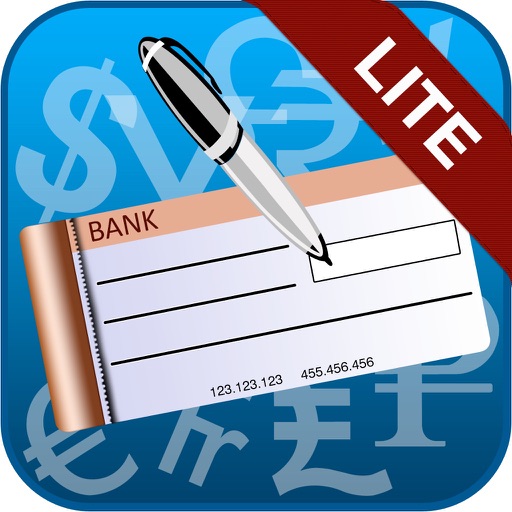
The app allows users to print cheques from an iPad to any AirPrint enabled printer. It offers features such as setting up unlimited cheque templates, automatically spelling out cheque amounts, and detecting cheque sizes from images.
Create and save digital signatures using touchscreen input. signatures to copy and paste into documents. Share signatures via email or messaging apps. Adjust signature size and clarity before saving.
Allows users to scan documents and images using NIR technology. It supports three scanner types with different wavelength ranges. Users can adjust settings for optimal scanning and preview results before exporting.
Scan coins using smartphone camera to capture details. Identify types and mint years. Estimate value based on size and design. Share scans and appraisals with others. Sync data across devices for ongoing collection management.
Extract text from images and documents using OCR technology supporting 92 languages. Copy extracted text, scan documents, convert to PDF, and share results. Organize scans in folders. No cost for unlimited use.
Scan QR codes and barcodes using the device camera. nd save QR codes for links, WiFi, and payments. Share scanned data via email or messaging. Adjust scan settings for different barcode types.
The app shows the Moon's phases, including new, first-quarter, full, and third-quarter. It also displays the times for Moon and Sun rising and setting, calculated using location data.
Resize images by adjusting height or width while maintaining aspect ratio. Compress files to reduce size. Save to camera roll, Files , or share via email, printer, and other native options.
Print documents from any device with one tap. Scan and customize prints by adjusting format, adding notes, or selecting pages. Share files directly or generate an iPrint link for others.
Perform searches using Google Lens, Yandex, TinEye, and Bing. Upload images from the camera or gallery to find similar images, identify objects, and explore digital content. Search across multiple platforms simultaneously.
Scan items using the phone's camera or magnetic sensor to determine authenticity and type. View detailed results including purity and description. Compare findings with known standards for accuracy.