Apps Like Path on - Swipe to Type for iPhone and iPad
Decorate pictures with text along lines.
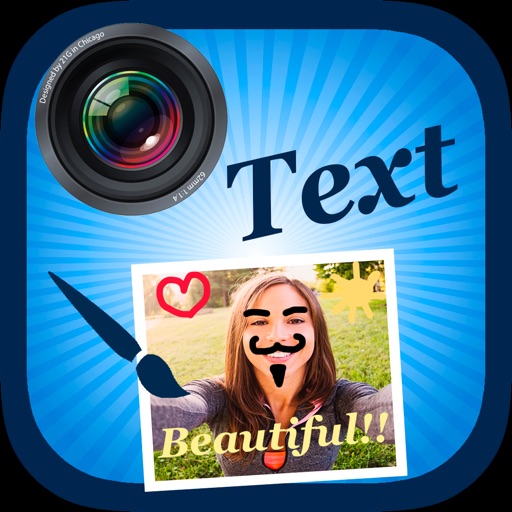
The app allows users to decorate pictures with text typed along a drawn line. Users can select from nearly 300 fonts, adjust text properties, and apply filters or change backdrops.
by Peta Vision★ 3.9253 ratingsPhoto & Video$1.99Data updated 2026-10-09
Create humorous collages by merging multiple images. Add text, stickers, and effects. Share edited photos directly to Facebook, Instagram, and other social platforms. Edit photos with a variety of filters and editing tools.
Create videos by combining clips and adding text or frames. Choose from various fonts and adjust video length and text position. Crop videos to square for Instagram or Vine. Add music and adjust volume.
Journaling allows users to add up to 10 images between text entries. Users can paste photos from camera roll or web. Secure passcode lock enables protection. No account registration required for backup.
Create visual stories with built-in editing tools and customizable templates. Adjust brightness and add effects. Insert stickers, emojis, and text. Organize photos into collages.
Contact display names with random fonts, emojis, and characters. Search , apply styles, and sync changes with a tap. Create custom text for profiles, stories, and captions.
Edit by merging multiple clips, rearranging, and removing sections. Add multiple text messages with animation, custom fonts, and styling options including stroke, shadow, and background. Export final edits.
Add and to with customizable fonts and animations. Position and resize anywhere on the screen. Set duration using a time slider. Crop to square. Choose from preloaded or . Apply start and end animations to elements.
Create professional-quality graphics by adding overlays, fonts, backgrounds, and filters to photos. Edit images with cropping and adjustments. Share designs directly to social media platforms.
The app allows users to create unique images with special effects by combining photos with text. Users can add stylish text, masking, collages, frames, filters, and geometric shapes to their photographs.
Create and customize text with various fonts, symbols, and emojis. Add hearts and special characters to style names or signatures. Copy and share generated text with others.
Create and edit digital art with brush tools, layers, and color blending. Import photos and sketches. Adjust brightness, contrast, and saturation. Add text and shapes. Export artwork in various formats and share directly.
Create for social media posts. Add motion to for Instagram stories and YouTube intros. Customize animations and export for sharing on WhatsApp or social platforms.
Edit by selecting from the gallery or taking a new photo. Adjust images to a square format. Add text with customizable fonts, colors, and borders. Move, rotate, and scale text. on with finger input.
Create stories with 100+ premium static and animated templates. Apply beautiful filters and select handpicked fonts. Edit and share stories directly to Instagram or other social media platforms.
The app allows users to add text and effects to images for social media sharing. It offers an intuitive interface for creating watermarks, greeting cards, and graphics with various text manipulation options and image filters.