The app allows users to browse, select, and control Tones and Rhythms for Roland BK-series instruments. Users can play their instrument while using an iPad as a duplicate of its front control panel for quick access to functions.
by Roland Corporation★ 4.06 ratingsMusicFreeData updated 2026-10-08
Create and play music with virtual instruments including pianos, basses, guitars, drums, and synthesizers. Use Chord Pads to build harmonies. Record performances and export audio files. Share creations directly from the .
The app allows users to create and control sound-creatures shaped like letters. These creatures react to physics and each other, generating rhythms and soundscapes.
Allows users to adjust instrument pitch with a visual display. It provides step-by-step guidance for tuning. Includes noise filtering for accurate results. Supports violin, viola, and . No ads and free to use.
Learn theory, notes, and fingerings with interactive lessons. Practice rhythms and customize ninja avatars. Track student progress and assign exercises. View alternate fingerings in red. Share results and manage multiple users.
Learn musical notes, fingerings, and rhythms through interactive gameplay. Compete against up to three players on a single instrument. Earn ninja belts by improving speed and accuracy. Purchase additional instruments.
Control instruments with multi-touch gestures. Adjust parameters in real-time. Route audio and MIDI signals. Access transport controls and mixer functions. Perform live using touch-based input. Sync with Pro or GarageBand on Mac.
Theory through interactive exercises that teach reading, writing, and playing . Practice at your own pace with fun, experience-based activities. No instrument required. Track progress and set personal learning goals.
Create tracks with AI-generated vocals and melodies. Customize style, mood, and instruments. Export original files and retain full copyright. No musical experience needed. Add lyrics and adjust settings for personalized sound.
Edit and customize saxophone tones, synthesizer sounds, and shakuhachi voices. Adjust effects and modify sound parameters visually. Set detailed instrument settings not available on the device itself.
Allows users to create and manipulate multiple independent musical voices. Features include pitch adjustment, temperament control, and multi-touch performance. Users can access additional instruments via in- purchases.
Tuner+ provides reference pitches for tuning instruments like guitar, bass, banjo, mandolin, cello, violin, piano, viola, and ukulele. It offers real audio and sine wave tones. Supports VoiceOver accessibility for users with visual impairments.
Play -based MIDI instruments with realistic sound samples from vintage models like Framus AZ-10 and Hohner Morino VM. Support multiple MIDI systems and chord samples for 3-channel setups. Combine instruments using MIDI playback.
Control Roland BK-9 performance parameters directly.
The app provides iPad control over Roland BK-9 real-time performance parameters. Users can edit tones, mix parts, and adjust effects through the iPad's touchscreen.
Practice musical and chord recognition with customizable exercises. Select difficulty levels from beginner to advanced. Track progress and receive recommendations for targeted skill development. Sync with Apple Health to monitor practice sessions.
The app simulates a metronome with a talking feature that vocalizes beats and subdivisions. Users can customize tempo, time signatures, subdivisions, and add delays or count-ins.
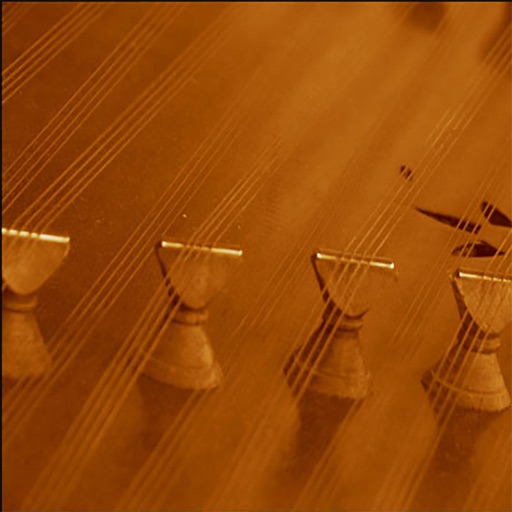
The app simulates a Santoor, a Persian musical instrument. It offers Arabic/Persian rhythms, chords, and studio-recorded sounds with adjustable volumes.