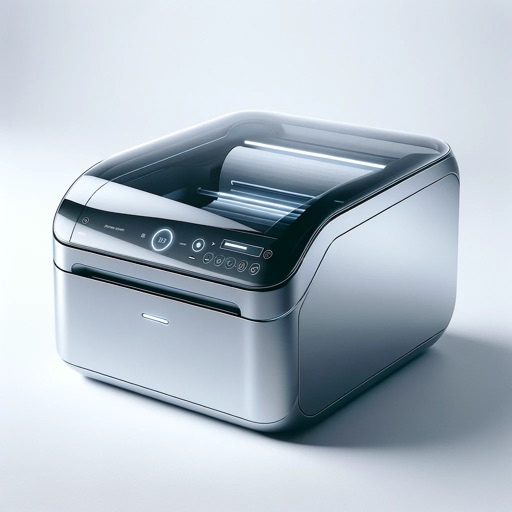
Documents and images to Brother Mobile Printers from iOS devices. Support printing of PDF, JPEG, BMP, GIF, PNG, TIFF, and PRN files. Connect via Wi-Fi or MFi Bluetooth. Import files using iTunes File Sharing or share from other apps.
by Brother Mobile Solutions, Inc★ 4.01 ratingsBusinessFreeData updated 2026-09-08
Print labels using a label printer over a local wireless network. Open pre-designed labels quickly. Create custom labels with graphics or photos. Print address labels from contact lists.
Documents, receipts, notes, invoices, and whiteboards. Convert scanned content into multipage PDF or JPEG files. Save files on iPhone or open in other apps like iBook or PDF Reader. Print or email scanned documents directly.
Print documents from photo gallery, iCloud files, and web pages. Print contact info on A4 paper. Access printing settings and select paper size. Share printed documents via email or messaging.
Print documents, photos, and web pages from iPhone or iPad. Scan and save files directly to cloud services. Customize print settings and select from over 9,000 wireless models. Share printed content via email or messaging.
Documents, photos, and web pages directly from iOS devices. Select files from apps or cloud storage. Customize settings like layout, paper size, and duplex printing. Connect to wireless printers instantly.
, receipts, and IDs using a fast document . Edit scanned files, add signatures, and convert to PDF. Share files directly or save to cloud storage. Organize and manage digital securely.
Documents, photos, and files directly from an iPhone or iPad. Select from multiple printers. Scan documents with automatic border detection. Adjust settings including color, black and white, and advanced options.
Create temporary tattoos with customizable designs. Choose from various templates and add text or images. Print directly from a home printer and apply safely to skin.
Manage nurse schedules with instant booking features. Receive real-time alerts for shifts and facility updates. Access instant pay options for W-2 or 1099 workers. Track work history and communicate with facilities through the .
Create and custom using a 3D printer. Choose from a variety of toy designs, select a model, and initiate printing. View progress and manage settings. Store and organize toy collections for future use.
Create and by inputting text or images and selecting label type. Automatically adjusts content to fit label size. Sync with Mac via cloud. Supports most Avery label sheets. Organize mailing lists for recurring mailings.
Manage and photos with . images, adjust colors, preview prints, and connect to compatible printers via Wi-Fi. Supports image arrangement and direct printing from iPhone or iPad.