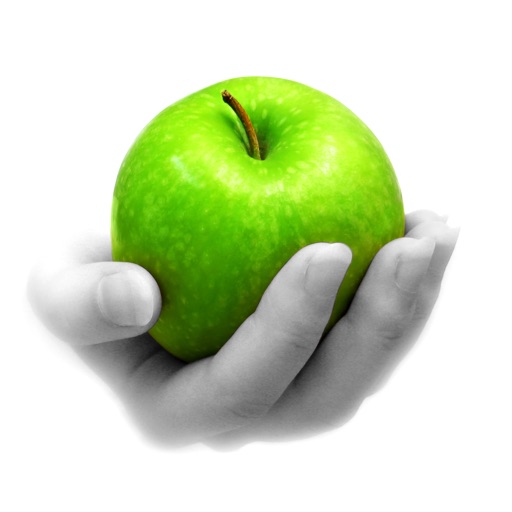
Edit photos by converting them to black and white while retaining selected details. Use multi-touch gestures to paint areas in black and white or restore original colors. Zoom in and out with two-finger pinching. Adjust and export edited images.
Create unlimited folders and with color coding and pinning. Set deadlines and view remaining days or elapsed time. Configure notifications with repeat options and sound choices. Enable vibration alarms for silent alerts.
Capture photos and videos with a Glitter effect for enhanced visual appeal. Edit media from the gallery. Create kirakiragraphs from still images. Swipe left or right to navigate.
Capture photos and videos with high resolution up to 4032x3024 and 4K. Switch between front and back cameras. Use face detection, grid, and image stabilization. Zoom up to 10x. Adjust focus and exposure by tapping.
The app allows users to add typography, filters, frames, shapes, and stickers to photos. It includes tools to adjust sharpness, brightness, saturation, contrast, RGB, hue, and exposure.
The app allows users to capture long exposure, light trail, and low light photos. It offers features for adjusting exposure, creating motion trail effects, and modifying brightness, contrast, and color after shooting.
Adjusts brightness and contrast for better visibility. It creates themes by inverting colors and applying sepia tones. Users can choose from preset themes or customize colors. Integrates with system mode for consistent appearance.
Captures multiple photos with a timer or instantly. Calculates an averaged image to reduce noise in low-light conditions. Normalizes exposure to brighten shadows. Requires stable placement to avoid blur. Export and share the final image.
Allows users to select from seven fan speeds and 16 LED brightness settings. Smart Mode automatically adjusts speed. Users can view current speed and light status. Schedules for speed and light settings can be created.
Create light with 11 shape options including heart, light, and star. Apply random by tapping the photo. Save edited images in high quality and share them directly.
Photos with filters, adjustments, and effects. Apply blur, focus, and rotation. Add text, stickers, and draw on images. Crop, resize, and enhance photos. Remove blemishes and whiten smiles. Save or share edited images.
The app offers over 290 filters in 17 themes, including analog film effects and disposable camera looks. It provides basic and professional editing tools, design features, and a pro camera with real-time filters and blur effects.
The app offers over 200 overlays and 140 filters to enhance photos. Users can add typography and artworks from a selection of over 700 artworks and 150 fonts.
Take high-quality photos with manual controls similar to a DSLR . Use bulb exposure for long exposures and motion blur. Apply neutral density filters to control light intake.
Create collages by adding photos, text, and stickers to pre-designed templates. Customize layouts, adjust colors, and apply filters. Share finished collages via social media or messaging apps.
Control RGB smart lights via Wi-Fi and Bluetooth. Adjust brightness, color temperature, and color settings. Create custom lighting scenes and schedules. Sync with smart home systems for automated control.
Create 3D photos from regular images by selecting a and applying a 3D effect with one tap. Adjust depth and perspective settings. Export and share the enhanced 3D photos directly.
Record video and photos with manual controls for exposure, focus, and white balance. Use advanced editing tools with 200+ professional filters. Adjust settings for low-light performance. Share directly via iMessage or social media.