Create collages using hundreds of templates, layouts, and design options. Add effects, text, and stickers to photos. Share finished projects directly to social media accounts. Edit images with cropping, filters, and adjustments.
Edit photos with , , and AI cutout tools. Apply neon, glitch, and overlay . Add doodles, artistic text, and fun stickers. Share edited photos directly to Instagram, WhatsApp, Facebook, and Messenger.
Create images with added text, , or poems over photos. Customize text color, size, font, and background. Add watermarks, logos, or QR codes. Share directly to Instagram.
Capture photos in RAW format without ND filters. Select capture mode, adjust , and set duration. Merge images into a 12-bit DNG file for editing. Apply motion blur to create artistic effects.
Edit photos with single-tap effects and professional filters. Adjust brightness and contrast. Apply blur and focus tools. Enhance portraits with specialized filters. Export edited images in various formats.
Create animations using LEGO, clay, drawings, or everyday objects. Record frame-by-frame footage. Adjust timing, add sound effects, and export videos. Share directly to social media or email.
Flashlight provides one-touch activation for bright illumination. Includes multiple flash modes for different lighting needs. Features a function for close-up viewing. Offers adjustable brightness settings and timer options for extended use.
Edit photos with filters, cropping, and adjustments. Access portrait mode, double exposure, and manual settings. Scan high-resolution films. Share images via social media. Participate in photography challenges and view community submissions.
Adjusts settings for low-light photography. Amplifies residual light in real-time. Switches between light amplification and exposure modes. Allows up to one-second exposure for detailed images. Captures clearer photos in twilight conditions.
The app offers multi-layer photo editing for creating composites and artwork. It allows users to combine photos, add text, apply filters, and use AI tools for image generation and background editing.
Edit photos with color filters, light effects, and frame borders. Apply effects like Instafit and Orton. Add film grain and adjust contrast, brightness, and saturation. Include text with 30+ fonts. Share edited images to social networks.
Auto-focus and exposure adjust automatically for portraits. AI enhances depth and background blur. Use Photo Coach for real-time guidance on composition and technique. Edit photos with filters, cropping, and adjustments.
Edit photos and videos with grid layouts, templates, and customizable collages. Add exclusive stickers, backgrounds, and doodles. Create Christmas cards and share finished projects directly.
Edit videos and photos with mosaic and AI filters. Add scribble animations and customize aesthetics. Share content to TikTok, Snapchat, Instagram, and Facebook. Adjust filters and for creative storytelling.
Create scrolling LED messages to display at events, promotions, or for daily use. Customize colors, , and animation speed. Share messages via social media or email. Control brightness and duration of displays.
Hong Kong Source Research Society Supply Chain Limited
Apply retro filters to photos
Edit photos with retro filters that mimic classic film styles. Add light leaks and lens flares for artistic effects. Apply effects to enhance the nostalgic look. Share edited photos directly to social media platforms.
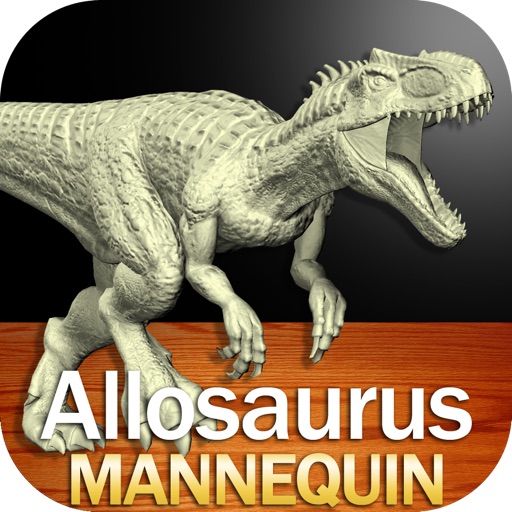
Create and customize drawings of an with poseable joints and adjustable limbs. Select from various skins and backgrounds. Adjust camera angles, zoom, and lighting. Use animations to guide realistic poses and movements.
Create from photos, videos, or instant captures. Import from Tenor. Add text, stickers, and adjust speed. Share across social media and messaging apps.