The app lets users design unique snowflakes and observe them descend. Users can capture photos with the falling snowflakes and share them via social media or email, or save them for personal use.
by Peter Allday★ 5.02 ratingsSocial NetworkingFreeData updated 2026-10-05
Create images with added text, , or poems over photos. Customize text color, size, font, and background. Add watermarks, logos, or QR codes. Share directly to Instagram.
Apply effects to photos. Share edited images on Facebook, Twitter, WhatsApp, and Instagram. Adjust settings to customize the appearance. Save and export modified photos.
Bookmark and save video URLs from TikTok. Repost videos by copying links and pasting them into the . Access trending hashtags to discover popular content. View saved bookmarks without ads.
The app provides tools for creating personal and branded content. Users can design graphics, collages, and marketing materials with templates, stickers, and editing features.
Create slide shows from photos with transitions and background music. Organize images, adjust photo duration, and add personal songs. Share videos on social media or save to the camera roll.
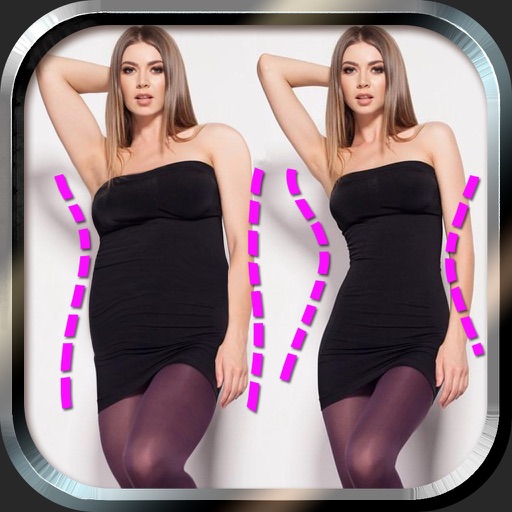
Edit photos to and body using auto-detection. Adjust and body thickness with sliders. manual edits and undo changes. Compare original and edited images. Save results to albums and share via email or social media.
Create or photos using pre-designed templates or personal images. Add text, decorations, and personal messages. Share completed via email, messaging, or social media.
Photos with custom intensity and size settings. Zoom and pan for precise editing. Share edited images via Facebook, Twitter, Instagram, or email. Undo and redo changes.
Turn photos into paintings with one-tap conversion. Edit, add signatures, and share on social media. Print artwork via CanvasPop with frame and size options. Transform videos into animated paintings.
Create custom mosaics and video mosaics using images from device or social accounts. Analyze colors and shapes to generate personalized mosaics. Adjust settings for customization. Zoom in for detailed viewing.
Create videos with filters, effects, and stickers. Add music and cinematic transitions. Edit photos into slideshows with customizable templates. Export and share finished videos directly.
Create books and prints by selecting images from phone, tablet, or computer. Arrange and design layouts. Save projects for later editing. Print or share finished products directly.
Create videos and photos with dynamic movement and sound . Apply pre-designed to photos, videos, or slow-motion clips. Customize during recording or import existing media. Share edited content directly.
Create animated stickers with customizable characters, backgrounds, and motion effects. Add text, sound, and emojis. Share stickers via messages, social media, or email. Edit and refine stickers using built-in tools and templates.
Edit photos with skin smoothing and whitening features. Adjust enhancement levels from 1 to 8. Apply 12 unique filters for enhanced selfies. Add makeup tools for detailed facial enhancements. Save and share edited images directly.
The app allows users to create personalized postcards using photos, captions, and frames. It automatically uses the user's location and analyzes photos to customize the layout, offering filters, font choices, and color settings for an authentic look.
Create collages by selecting from 1000+ layouts, grids, and templates. Add photos, adjust sizes, and apply filters. Share collages directly to social media or via email. Edit text, add stickers, and crop images within the .
The app allows users to create and edit designs with text, elements, and filters. Users can design social media posts, greeting cards, and add logos to their creations.