The app lets users design unique snowflakes and observe them descend. Users can capture photos with the falling snowflakes and share them via social media or email, or save them for personal use.
by Peter Allday★ 5.02 ratingsSocial NetworkingFreeData updated 2026-10-05
Create game-ready 2D assets, textures, and skyboxes using text prompts. Generate unique characters and 360° environments with AI. Customize styles and details to match specific ideas. Export assets for use in games or projects.
Create styled with various fonts, emojis, and ASCII art. Generate art and status messages. Share via social media or messaging apps. Copy to clipboard. Navigate through creation steps.
Create light-based drawings using finger gestures on the screen. Share creations with friends and family via social media or messaging. Save finished designs as photos in the device's gallery.
Take photos and apply -themed and wreaths. Add stickers like ornaments, elves, and jingle bells. Enable snow effects and customize designs with multiple decorative elements. Share finished photos directly.
The app allows users to create photo collages from their pictures and share them on social media. Users can select from 52 layouts and customize them with various frame shapes and color palettes.
The app allows users to create unique images with special effects by combining photos with text. Users can add stylish text, masking, collages, frames, filters, and geometric shapes to their photographs.
Apply to photos. Select from gallery or take new photos. Choose to enhance images. Generate framed photos for sharing. Use as decorative or to express love.
Create from photos or videos and combine them with existing . Add text, emojis, and drawings before sharing via WhatsApp. Edit videos, rearrange GIF frames, and adjust settings like width, height, frame delay, and loop count.
Apply a warrior hairstyle filter to photos instantly without an internet connection. Save modified photos to your device. Share results via email, Twitter, or Facebook.
The app transforms user photos into pencil drawings with a sketch shine effect. Users can capture images, apply filters, and share their creations on social media or save them.
Take photos or select images from the gallery. Position, resize, and rotate a mask overlay on the . Apply filters and adjust the mask. Share the final image on social media or via email. Switch masks or edit the as needed.
Turn photos into paintings using preloaded styles and custom brushes. Adjust brush strokes with paint masks and save images with transparent backgrounds. Generate unique styles in Workshop mode and share or print finished artwork.
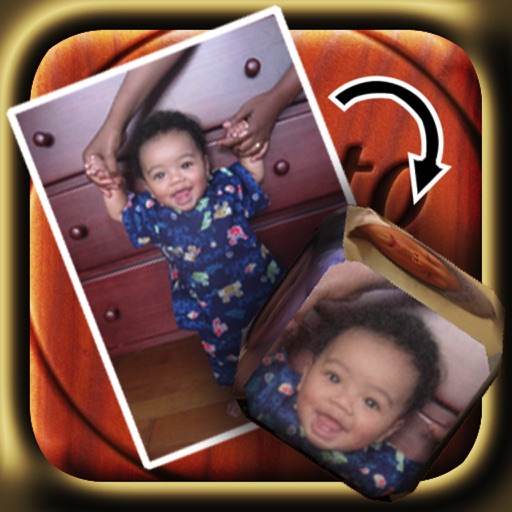
The app allows users to create custom 6-sided dice using photographs from their library or camera. Users can email their custom dice to friends or save and share them through iTunes File Sharing.
Save and organize videos from social media platforms like Facebook, Instagram, and YouTube. Download and manage files in one place. Edit videos with trimming and cropping tools. Share videos directly from the . Sync media across devices.
Edit photos and videos with templates, quotes, stickers, and customizable text. Scale, rotate, position, duplicate, and flip elements with touch gestures. Create collages and design posts for social media. Export and share edited content directly.
The app allows users to print photos and videos from their camera roll and social media. It features Augmented Reality "Hyperphotos" that embed videos within still images, bringing them to life through the application.