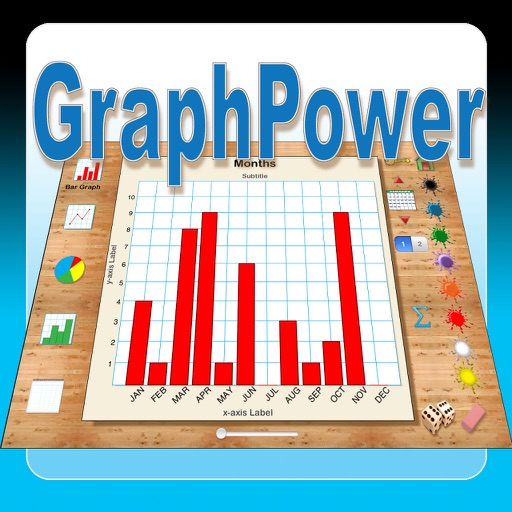
The app offers an educational tool for data analysis and graph interpretation. Students can create bar graphs, line graphs, circle graphs, and histograms on their iPads, with options for titles, labels, and scales.
by Ventura Educational Systems★ 1.01 ratingsEducation$2.99Data updated 2026-10-04
Solve math problems with capabilities. Input equations, view function graphs, and analyze statistical data. Perform calculations in algebra, calculus, and statistics. Navigate using arrow keys or touch gestures.
Learn Japanese Kanji and Vocabulary using a Spaced Repetition System. Review and complete lessons offline with progress syncing when online. View graphs for upcoming reviews and progress on radicals, kanji, and vocabulary.
The app builds interactive graphs of the cubic function y = ax³ + bx² + cx + d. It also solves cubic equations and helps users understand how coefficients affect the graph.
The app plots graphs of functions based on user-entered formulas and ranges. Users can input multiple functions separated by semicolons and view them simultaneously.
Graphmatica allows users to plot Cartesian, polar, parametric, and differential equations. It supports data plotting and curve-fitting. Users can graph up to 999 equations simultaneously.
Measure sound pressure levels precisely and easily.
The app transforms an iOS device into a sound level meter, measuring sound pressure levels. It offers features like Apple Watch support, Health app integration, and frequency analysis tools.
Allows plotting of polar, cartesian, and parametric equations with unlimited expressions. Users can add sliders for function transformations, create tables for data input, and animate graphs.
Allows users to plot functions, polar, and parametric graphs. Users can edit equations in the graph editor and view graphs. Features include tracing, finding intersections and extrema, displaying derivatives, and adding tangents.
Solve math problems with natural textbook input and fraction support. Trace graphs with touch. Zoom using pinch gestures. Tap for regression analysis. Swipe to scroll through calculation history and matrices. Access help via the ? key.
Create and analyze mathematical functions with interactive graphing. Manipulate equations, zoom, and pan graphs. Access a clean interface with logically placed tools. View detailed error messages and scroll through results without navigation clutter.
Helps users improve musical ear through exercises that evaluate pitch and intervals. It includes an on-screen tuner, detailed pitch graphs, and modes for listening and testing.
The app allows users to connect points on a graph and move them to find isomorphic graphs. Users can add or delete points and lines, and rearrange points to view the graph in different ways.