
kirakira+
bytes inc.
Capture light, add effects, share photos
Capture photos and videos with a Glitter effect for enhanced visual appeal. Edit media from the gallery. Create kirakiragraphs from still images. Swipe left or right to navigate.
Edit photos, add filters, and share online
Edit photos with filters, collages, and stamps. Add text and stickers. Save to albums. Share directly to blogs and social media. Apply toy camera effects. Adjust brightness and contrast. Crop and resize images.
Showing 41–60 of 1,000 ranked alternatives.
bytes inc.
Capture light, add effects, share photos
Capture photos and videos with a Glitter effect for enhanced visual appeal. Edit media from the gallery. Create kirakiragraphs from still images. Swipe left or right to navigate.
AOMV, LLC
Take selfies with pip effects and filters
Take selfies with pip effects and apply filters like sepia and vintage. Create collages and edit photos with various effects and frames. Select images or capture new ones and enhance them with pip features. Share edited photos directly.

Ram Kishan Singh
Create collages with frames
Create collages by selecting multiple images and arranging them in different grid layouts. Add frames from a collection of 100+ designs to enhance images. Build personal stories by organizing photos and sharing them directly.

Patel Gaurav
Set wallpapers and frames
Create 3d art effects for photos. Set and share 100+ HD wallpapers. Apply 100+ holiday frames to photos and share. Add festive stories to photos and share with friends.

MWM
Edit photos with pro filters in one
Edit photos with 500+ preset filters and AI-powered styling. Capture high-quality images in-. Create collages using templates. Share edited photos directly.

Beijing Shangtang Technology Co., Ltd.
Create collages with pictures and videos
Create collages by combining pictures, videos, or a mix of both. Choose between sequential or delayed video playback. Use built-in layouts or design custom ones. Select from 1:1, 9:16, 3:4 ratios or set custom proportions.

Stuart Watson
Edit photos and videos with custom frames
Create custom designs with photos using templates, fonts, filters, frames, and hand-crafted stickers. Organize and save moments. Share edited photos directly.

Wilson Tjoa
Create unlimited collages with one tap.
The app creates unlimited collages with a single tap using a SmartSorting algorithm. Users can import photos, select modes, and apply various styles, text, backgrounds, filters, and stickers.
Hareshbhai Issamaliya
Edit photos with creative frames and PIP
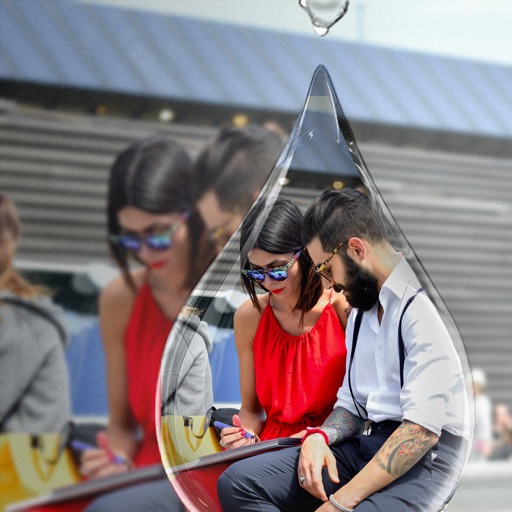
Edit photos with PIP frames, collages, and creative layouts. Add crystal bottle patterns and cartoon styles. Share edited photos directly to social media. Adjust brightness, contrast, and colors. Crop and rotate images.

Yu Abe
Blur and pixelate photo areas easily.
The app allows users to blur or pixelate photo areas by tracing with a finger. It offers various mosaic types, thickness grades, and automatic blurring for license plates and faces.

HOANG PHAM
Add to your photos
Edit photos by adding such as cupcakes, ice cream, rabbits, and unicorns. Customize images with romantic and cute designs. Save and share edited photos directly from the .


Luni
Photos, create collages, add effects
Photos with clipping tools to remove backgrounds, apply predefined effects like glitch and duotone, and enhance images with magazine-level touch-ups. Add text, stickers, and unlimited undo/redo features.

Quantis, Inc.
Edit photos with high-quality filters
Take photos with single-tap effects and professionally designed filters. Adjust brightness and contrast. Apply blur and focus. Rotate and crop images. Export edited photos in various formats.

Bedouinapps Ltd
Create collages from photos and videos
Create collages by selecting photos and arranging them in customizable layouts. Choose from 200+ frames and templates. Adjust colors, borders, and backgrounds. Edit photos with crop and enhancement tools.

Vitalij Schaefer
Create photos and share them
Create photos by setting diameter in pixels, millimeters, centimeters, or inches. Import or capture photos, zoom, and move images. Edit with filters, focus, effects, and text. Adjust colored borders. Save, print, email, or share the final image.

Masanari Takigawa
Apply filters to enhance photos
Take photos with high-resolution settings. Apply 40 free filters, including a popular pink filter. Edit images with color adjustments and effects. Add creative accents to photos. Share edited photos directly from the .
Apps are ranked by functional similarity, category fit, rating confidence, and popularity.