Calculate with dual-line display and multi-line input
A with dual-line display showing input and result. Supports multi-line equations and tap-to-move cursor. Saves calculation history with timestamps and labels. Allows emailing calculations and swiping to review past entries.
by Cider Software LLC★ 4.811,253 ratingsUtilities$9.99Data updated 2026-09-08
Unit and currency converter for quick conversions. Solve math problems with handwriting recognition. Calculate BMI, date intervals, and basic data. Analyze equations and perform photo-based problem searches.
Convert units between metric and imperial systems including area, distance, speed, temperature, volume, time, weight, energy, and power. Calculate area, speed, distance, and volume with supported units. Switch between units quickly and accurately.
The app offers two modes: portrait for basic calculations and landscape for scientific functions. Users can track entries with multiple tapes and use memory slots for complex calculations.
Calculator++ displays expressions in real-time and maintains a calculation history. It supports fraction operations, unit conversions, and advanced functions. Users can graph equations and perform complex calculations.
Perform basic statistical calculations, create and edit data lists, and generate summary . Calculate regression models and probability distributions. Unlock advanced features and larger list capacities via in- purchase.
Perform calculations a 3D interface featuring realistic button press effects and animations. Use custom skins to personalize the appearance. Conduct math operations and access interactive elements for enhanced usability.
Calculate fractions by adding, subtracting, dividing, and multiplying. Convert fractions to decimals. Adjust recipe quantities for different serving sizes. Review math problems quickly and accurately.
Performs basic and scientific calculations. View and share calculation history. Switch between landscape and portrait modes. Choose from customizable themes to personalize the interface.
Allows users to perform basic and advanced arithmetic, including equations with parentheses and percentages. It features color-coded parentheses, a dual-display showing the equation and result, and a history log with copy and share options.
Perform basic and calculations including trigonometric and inverse trigonometric functions. Use mathematical functions like absolute value, ceiling, floor, and rounding. Modify calculations in real time by clicking steps.
Convert units across 30 categories with over 700 measurement options. Switch between light and dark modes. Use a backspace key for editing. Perform conversions quickly with an intuitive interface.
Perform calculations using reverse Polish notation. Swipe to undo or redo operations. Access a 100-entry stack and 6 memory buttons. View large, easy-to-read displays. Save state on exit. Supports scientific functions and multiple undo/redo levels.
Perform complex calculations using ten built-in calculators. Access ten financial worksheets for budgeting, loans, and investments. Input formulas, view results, and save calculations. Export data as PDF or text. Switch between light and dark modes.
Perform basic calculations including addition, subtraction, multiplication, and division. Calculate percentages and use nested expressions. View full equations and intermediate results. Access a history of 25 recent calculations.
Perform complex number calculations and trigonometric functions. Handle matrix operations and numerical root finding. Calculate integrals and statistical values including linear regression. Write and execute custom programs. No ads or in- purchases.
The app offers a financial calculator with RPN entry and functions matching the HP-12C. It features visible financial registers, a two-line display, and program lines showing function names for easier use.
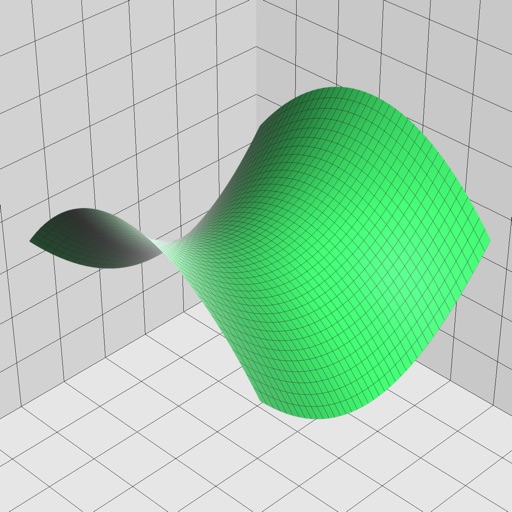
Enter and edit equations in mathematical notation. Visualize 2D and 3D graphs of explicit, implicit, and inequality equations. Adjust settings for display and analysis. Save and share calculations.
Calculate with , edit equations instantly, preview
Input allows users to speak equations for instant calculation and audio output. Tap to edit equation parts without backspacing. View equation components above the input and the result below. Access calculation history and favorites for quick reuse.