The app allows users to create patterns by layering motives, selecting colors, and adjusting their position, scale, or rotation. The resulting patterns can be shared, used as backgrounds, or printed.
by Dominik Wei-Fieg★ 3.02 ratingsPhoto & VideoFreeData updated 2026-10-04
Play games by dragging cube blocks to fit given patterns. Complete levels by arranging pieces correctly. Each level features a unique design. Track progress through multiple challenges.
Create and decorate cupcakes by selecting from 15 batters such as Confetti or Mississippi Mud. Sift flour, squeeze lemons, mash bananas, and chop nuts to prepare the mix. Choose shapes like round or heart and design liners with various colors.
Images of grandmothers' hobbies and home life. Customize colors and patterns. Save and share completed artwork. Access a library of family-themed coloring pages. Adjust brush size and opacity for detailed work.
Create collages by combining up to 16 photos. Choose from 250+ templates. Import and resize photos. Customize with backgrounds, frames, stickers, and text. Adjust angles and select from various fonts and colors.
Create photo collages by combining 2 to 9 images into one. Adjust size, position, and layout. Choose from various templates and styles. Add stickers, frames, effects, and patterns. Share finished collages directly.
By numbers with detailed designs and numbered sections. Select colors and apply them to complete images. Save and share finished artworks. Adjust brush size and opacity for precise coloring.
Create custom wallpapers with scaling and resizing options on various backgrounds. Choose from color, gradient, pattern, bokeh, and text effects. Apply parallax effect for all iPhone and iPad devices.
Combine multiple photos into customizable frames or collages with 55 adjustable templates. Add rounded corners, effects, shadows, and patterns. Choose colors using an easy color picker. Save projects and share via Facebook, Email, or Twitter.
Play in 8 Ball, 9 Ball, UK 8 Ball, Time Trial, and Practice modes. Customize table colors and cloth patterns. Compete against CPU in single-player matches. Adjust realistic graphics and angles for skill improvement.
Create and customize virtual rooms using pre-designed templates. Add furniture, decor, and color schemes to design interiors. Save and share your creations. Adjust lighting and layout to visualize spaces realistically.
Build and customize sneakers by mixing and matching parts for unique designs. Paint using brushes, sprays, or pencils with adjustable effects. Lace up shoes with various laces and add details like logos or patterns.
Create holiday e-cards by selecting from 40+ photo frame templates. Choose a photo from the gallery or camera. Apply effects to personalize cards. Save and share finished designs.
Explore a kingdom by completing quests and uncovering secrets. Collect resources, craft items, and battle enemies to rescue your father. Progress through levels, unlock new abilities, and interact with characters to advance the story.
Create custom charts for crafts like cross stitch, bead weaving, knitting, and pixel art. Draw dotted images and design patterns with an intuitive touch interface. Export charts for use in projects.
Create and manipulate complex sounds using analog-style oscillators, filters, and wavetable synthesis. Modify signals with a 3-FX-Chain and dynamic signal flow. Adjust sounds using a Morph crossfader for smooth transitions.
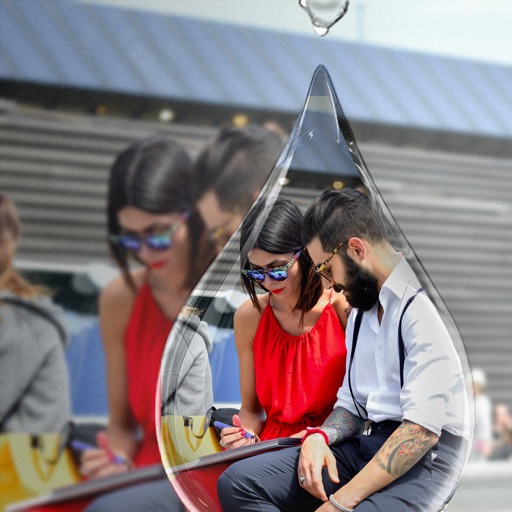
Edit photos with PIP frames, collages, and creative layouts. Add crystal bottle patterns and cartoon styles. Share edited photos directly to social media. Adjust brightness, contrast, and colors. Crop and rotate images.