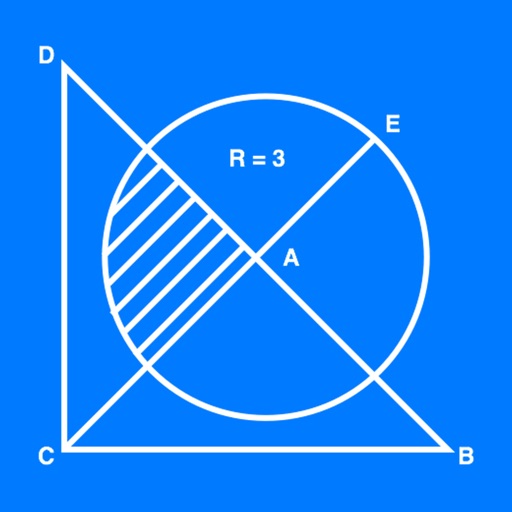
The app allows users to create geometrical figures, points, circles, and polygons. It can also create parallel lines, perpendicular lines, lines with a given angle, midpoints, and intersections.
by 帆 杨★ 5.01 ratingsProductivityFreeData updated 2026-10-03
The app offers an Equation Solver for equations of any format, an Analytic Geometry tool for tasks like solving tangent lines and intersection points, and a Polygon tool to calculate area, angle, and length. The app is localized to many languages.
The app provides step-by-step drawing lessons for various subjects like animals, cartoons, and anime. It also includes coloring pages with an online catalog for users to paint images.
The app provides a PDF document viewer with features for annotation, highlighting, linking, sharing, and printing. It supports adding PDF documents via iTunes file sharing or a desktop browser and includes library management.
Graphing common geometrical equations interactively.
The app provides an interactive iPad experience for graphing circles, ellipses, parabolas, and hyperbolas. Users can dynamically modify formulas with sliders and see real-time graph updates, with a Quiz Me mode for testing knowledge.
Play to win with Tap Frenzy, Memory Flip, and Quiz Rush, which test reflexes, memory, and knowledge with visual feedback and progression. Create using AR Game Art to trace characters, adjust opacity, and lock layouts.
The app provides a graphically rich environment for learning basic math skills. It offers tools like number lines and wooden blocks to explore problem solutions.
Create and organize notes with grid lines or horizontal ruled paper for structured writing. Switch to blank pages when needed. Input text or type directly. Save and access notes across devices.
Lines and shapes to guide balls into matching color cups using -based movement. Create paths by drawing lines or polygons that obey real-world rules. Complete levels by ensuring all balls reach the correct color cups.
The app offers over 1400 questions and 140 revision notes covering Algebra, Geometry, Data Analysis, and Arithmetic. It provides instant feedback, explanations, and progress tracking to prepare users for the GRE math section.
Learn chess openings with a comprehensive book collection. Test memory of key moves. Practice lines against a bot. Complete missions by reading and practicing.
Is a vector-based drawing tool for 2D CAD. Users can create lines, rectangles, ovals, arcs, polygons, and text. Freehand drawing with vectorization and spline tools is available. Objects have adjustable attributes.
The app helps actors learn lines and rehearse scenes for theater and film. Users can record cue lines to practice listening and recalling their own lines, enabling memorization while multitasking.
Import Chinese ePub, add romanization and translation,
Convert ePub files in Simplified or Traditional Chinese to include romanization lines (pinyin, Sidney Lau, Yale) and native language lines (English, Spanish). Export as PDF.
Create custom receipts and labels with text, images, and horizontal lines. Design layouts and print directly to printers. Manage multiple connections and preview print jobs before sending.
Track nearby lines using GPS to find the nearest options. Join a line and receive notifications when it's your turn. View real-time waiting times and use the to pass time while waiting.