Take photos with customizable cartoon frames. Select from over 20 styles for backgrounds and panoramas. Edit images with filters and effects. Share photos to social media or save to the photo library.
by SuperSoftware co., Ltd.★ 3.814 ratingsPhoto & VideoFreeData updated 2026-09-08
Apply art to photos for creative visuals. Add spiral effects and blur backgrounds. Use emoji art, background art, and outline art to enhance images. Apply AI, cartoon, neon, and mask effects. Create retro, atlantis, and big camera styles.
Create designs, stickers, and graphics with fonts,
Create custom designs and stickers using fonts, shapes, colors, and objects. Add text, edit elements, and export designs. Share creations with others. Use pre-designed templates for business cards, CVs, and logos.
The app provides numerous effects to transform photos into fantasy images. Users can combine and adjust effects like rings, swirls, and fireworks to create unique pictures.
Take photos by setting time from 1 second to 180 seconds. Capture night scenes, fireworks, and starry skies. Use Bluetooth remote shutter for hands-free shooting. Adjust settings for dark environments to avoid overexposure.
The app offers a full editing suite with color, brightness, and contrast adjustments. It includes filters, frames, effects, and a meme maker with speech bubbles and text options.
Apply to photos. Select from gallery or take new photos. Choose to enhance images. Generate framed photos for sharing. Use as decorative or to express love.
Create and share short videos as animated GIFs or MP4. Capture frames with the or import photos, videos, or Live Photos. Apply real-time color filters, add text or frames, and choose stop motion or video mode.
Take photos or choose existing images. Adjust and crop the photo. Add holiday-themed objects like hats, trees, and glasses. Apply Christmas-themed effects and frames. Share the edited photo on Facebook, Twitter, or via email.
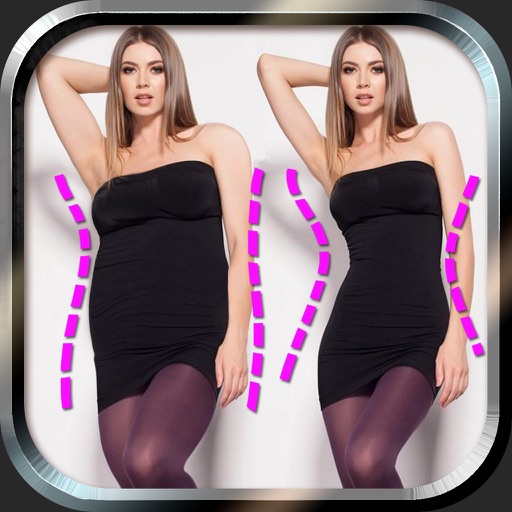
Edit photos to and body using auto-detection. Adjust and body thickness with sliders. manual edits and undo changes. Compare original and edited images. Save results to albums and share via email or social media.
Create animations and timelapse videos. Capture sequential photos to build animations. Adjust timing and transitions. Export videos for Instagram, TikTok, and YouTube. Add text and music to enhance stories. Share directly from the .
Create photo collages using 20,000+ layouts and frames. Combine up to 16 photos in customizable grids or freestyle arrangements. Add text with 1,000+ font styles. Edit layouts, adjust frames, and export collages.
Edit photos with diamond frame effects and star-like enhancements. Add creative effects to enhance images. Save and share edited photos directly. Apply various frame styles to personalize pictures.
Photos by selecting an image from the library or taking a new one. Add text with customizable fonts, colors, sizes, and borders. Position text on the and share the labeled image.
Edit videos by colorizing specific parts and adjusting brightness, saturation, and hue. Change of selected areas, adjust contrast and white balance, and apply vignette effects. Convert videos to black and white with retention in chosen details.
Take black and white photos with live preview. Use colored lens filters and professional conversion settings. Adjust contrast, brightness, and exposure in real time. Add film grain and black vignetting. Export images to social media and email.
Edit photos by selecting from Camera Roll or taking new shots. Apply real-time effects to create prism-like glass pieces. Adjust frames, shapes, and patterns. Rotate, resize, and drag elements for custom designs. Export and share edited images.