The app allows users to hear the story by running fingers over the text. Users can touch any word to hear and see it spoken and spelled, color pages, and record their own voice.
by KIWA International Ltd★ 0.00 ratingsEducation$3.99Data updated 2026-10-02
Create manga and illustrations using free tools like G-pens, mapping pens, tones, and backgrounds. Access lessons on story creation, character design, and dialogue from editorial team. Enter contests and receive updates on available competitions.
Read along with highlighted narration, choose to read yourself or auto-play. Tap and drag to discover playful surprises. Find hidden stars for fun activities. Explore new vocabulary through interactive pages.
The app offers over 30 educational games and activities covering colors, numbers, letters, shapes, and animals. It includes features like spelling games, drawing, and interactive animal experiences for learning.
Create glowing art by applying effects to photos or existing images. Adjust brush size and glow intensity. Save creations to the Photo Library. Email postcards globally. Use multiple undo levels and mix colors for custom palettes.
Read books with interactive elements, including tap-and-drag features for playful surprises. Practice spelling, phonics, and reading comprehension through learning activities.
Color drawings, solve puzzles, interact with sounds
Create drawings to color with an incredible sensitive paint brush. Solve puzzles with sounds and interactive backgrounds. Features simplified interaction for young children and proprietary "MAGIC BORDER" technology. Includes a fun happy ending scene.
Convert text from any file or image into natural audio with one-tap sharing. Ask questions about documents and receive cited answers. Use lifelike voices for hands-free learning and multitasking.
Compare performances by switching between four recordings of the piece across 50 years at any point in the music. Explore the BeatMap visualization to view different sections of the orchestrations.
Puzzles with sounds and interactive backgrounds allow children to engage with game characters and explore objects. Drawings to color let kids paint figures. Full version includes 19 puzzles, lite version has 6.
Edit photos with brushes and black-and-white effects
Edit photos by converting them to black and white and selectively retaining with a finger brush tool. Zoom in and out using two-finger pinching for precise adjustments. Share edited images via email or upload to Twitter, Flickr, or Dropbox.
The app offers over 270 coloring pages with 20 vibrant colors and a magic brush tool. It includes themes like animals, princesses, and cars, with monthly updates providing fresh content.
Read books with interactive elements, including tap-and-drag features and playful surprises. Practice spelling, phonics, and reading comprehension through learning activities. Highlight text for narration or auto-play reading.
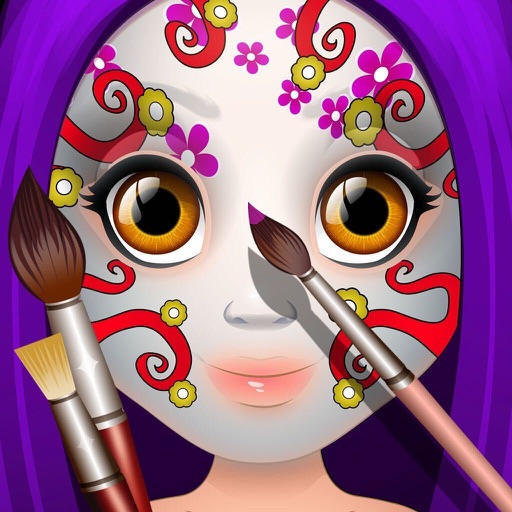
Create paintings by selecting colors or designs, then applying them to a character's with a finger. Choose from sparkly, gold, and silver paints. Customize characters and save or share creations.
Read and navigate the Qur'an with page-turning functionality and a layout mirroring traditional copies. Locate verses quickly using a familiar structure. Highlight and bookmark specific passages for easy reference.